


Your catering schedule still lives on a kitchen whiteboard because of The Whiteboard Problem, the older form of the gap that keeps the kitchen, the sales coordinator, and the marketing lead working from different information. The fix is one shared schedule that everyone in the chain can read without asking anyone, and CaterSuite provides it on HubSpot.
Saturday, 6:50 AM. The walk-in door is still sweating from the morning delivery, and the prep area smells of cold stock. On the wall by the pass, the whiteboard shows Saturday's headcounts in handwriting you don't recognize. The wedding sits at the top with its first number crossed out and a second one written above it, followed by a question mark. The corporate lunch you confirmed on Thursday is still listed under a staff name from months ago, and nobody has touched the bottom half since Wednesday. You stand there with your coffee, trying to work out which count your line is actually plating for. The board can't tell you. So you check your phone, then your inbox, then walk out to the event lead and ask. By the time you have an answer, the morning is half gone.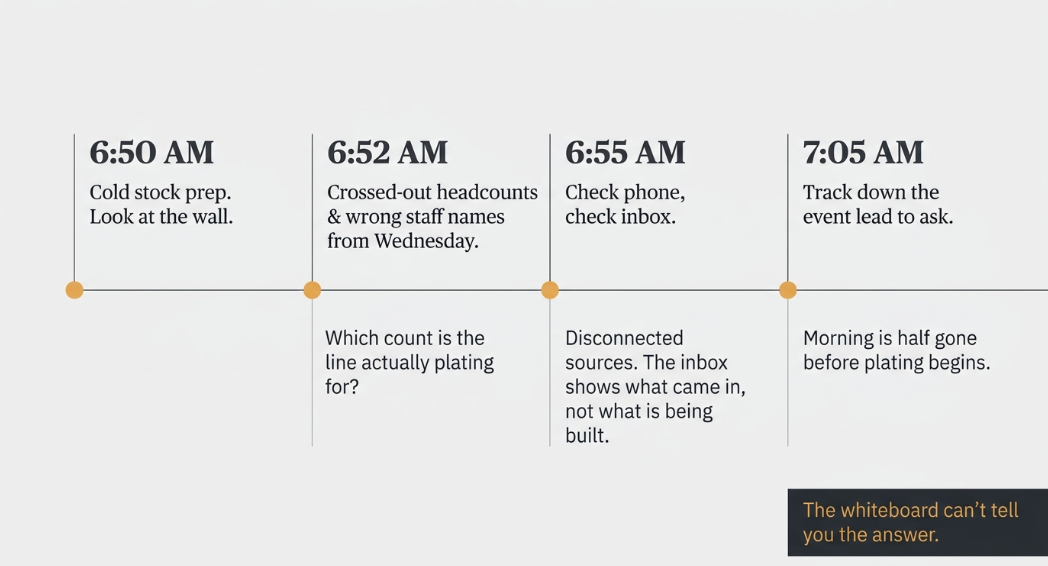
What looks like a scheduling habit is The Whiteboard Problem: the older form of The Disconnect. The schedule, headcounts, and staff assignments lived on a whiteboard in the kitchen, then a spreadsheet, then an app, and the people not standing in front of it still don't know what's happening. The Disconnect is the gap between marketing, sales, and catering operations where each runs in its own system and nothing talks to anything else: inquiries land in seven places, follow-ups live on sticky notes, and bookings happen that the kitchen hears about at the briefing.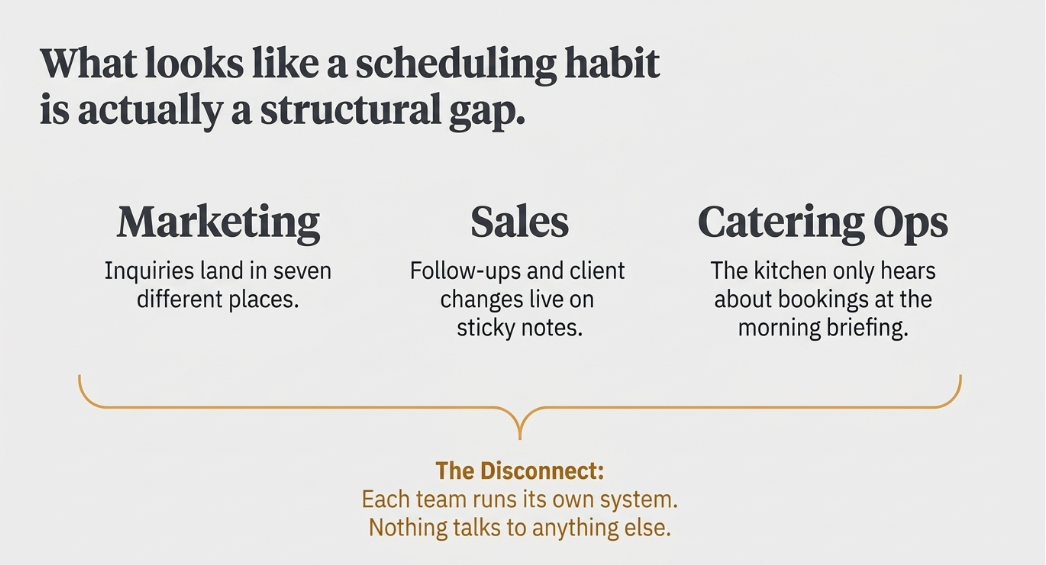
Why the whiteboard keeps winning
The whiteboard is not a careless tool. It is fast, visible from across the room, and needs no login. It worked while one person held the schedule in her head and the kitchen shared a room with the owner. It stops working in stages, and the stages are predictable.
It has outgrown its job. A board written for one kitchen now has to carry bookings from phone, email, and the website, plus changes made by people who were not in the room when the board was written.
Headcounts change after the board is written. A count goes up on Wednesday, and the number on the wall still says the old one, because erasing a headcount feels like a decision nobody wants to own in writing.
Staff assignments go stale. A shift is swapped by text, the board stays as written, and the person who was moved is still listed.
The inbox does not show the schedule. It shows what came in, not what the kitchen is building for Saturday. For the longer account of why inquiries slip past an inbox you are watching, read why do catering inquiries slip through the cracks even when I watch my inbox.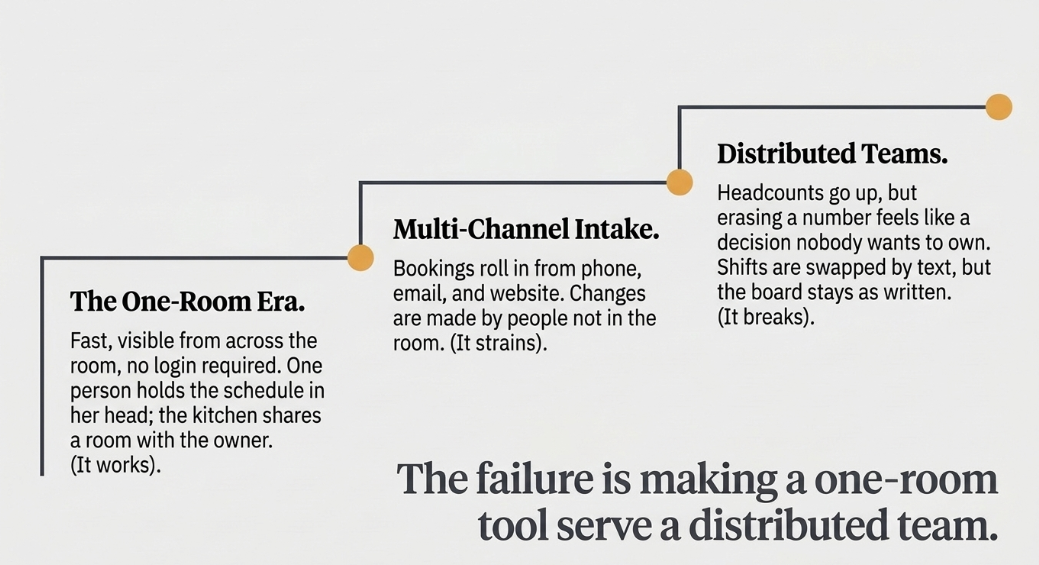
What the wall costs a single-operator business
When the schedule lives on a wall, the cost lands on one person. You become the search engine, the reconciliation, and the apology. A wrong headcount means a short tray or a wasted case of protein. A missed staff change means a station opens with one person fewer than the schedule promised, at the worst moment of service. Neither is dramatic alone. Together they take the owner's best hours, the early morning and the late night, and turn them into checking. The cost is not one bad week. It is a standing tax on every event you run.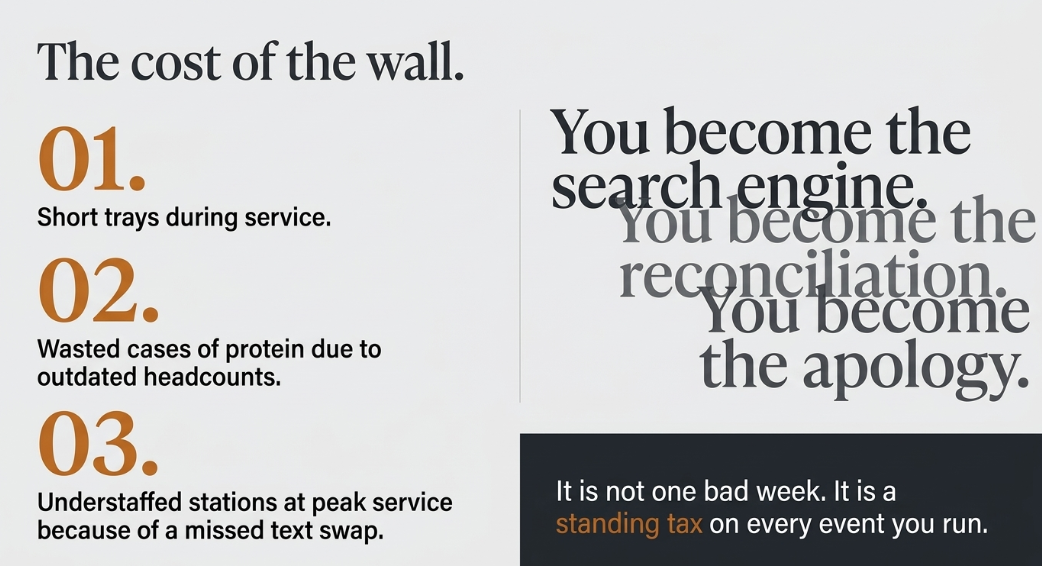
A four-question check for your own wall
Run these four questions against the board you use now. Each one shows where the schedule depends on memory rather than on a record.
- Where does the event schedule live right now, and how many copies of it exist?
- Who can see the current headcount without asking you or the kitchen lead?
- When was the schedule last changed, and by whom?
- What will be wrong by Thursday, and would you know before the event starts?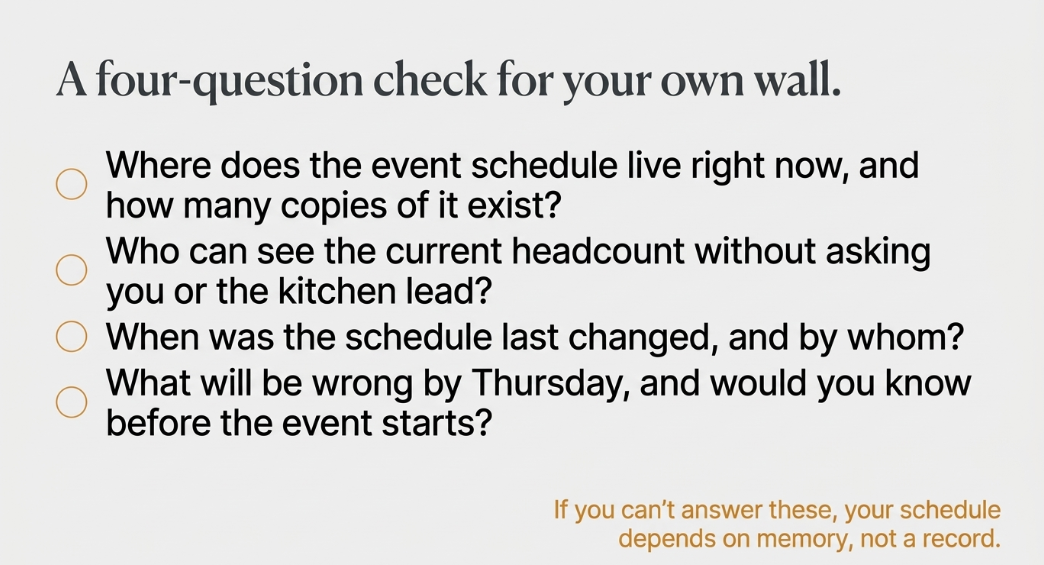
What changes when the schedule is a record
What the wall was standing in for is One System That Remembers: what replaces The Disconnect, every inquiry, booking, contact, follow-up, quote, and event history in one place that stays there when people change roles or leave.
The structural version of the same idea is Stack Unification: marketing, sales and catering operations on one platform, so they talk natively rather than through an integration somebody has to maintain. On HubSpot, the inquiry is a HubSpot contact and the booking is a deal in a catering-stage pipeline, with follow-ups running as workflows. For the day-to-day picture, read what do unified catering operations actually look like.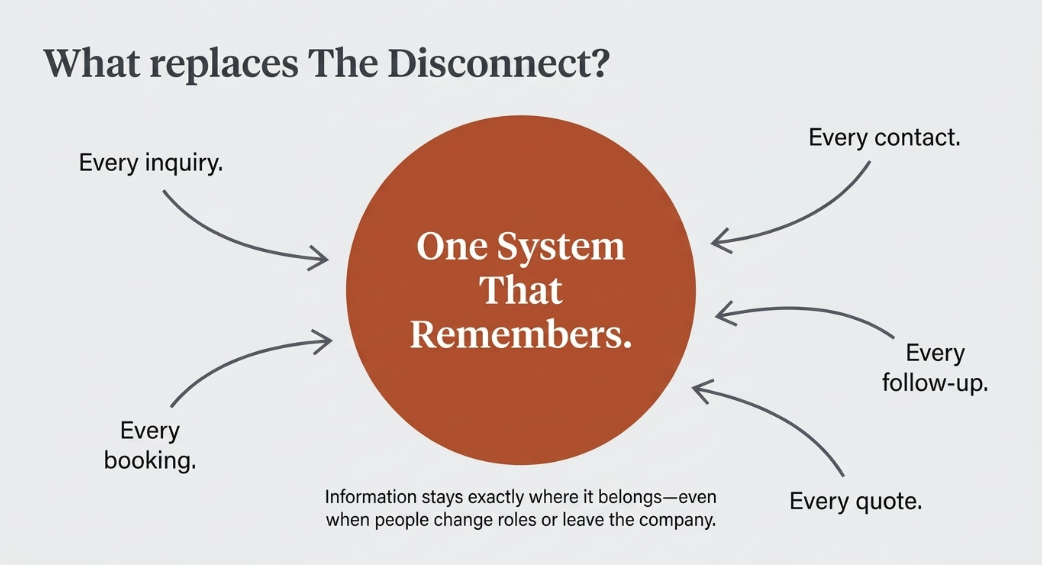
Start with the schedule the kitchen reads
You do not need to move the whole business in one week. Start with the place the kitchen reads each morning. The production and kitchen coordination layer is the part of CaterSuite built around kitchen production, BEO generation, and staffing. The page describes delivery in phases, so the first move can be the schedule itself rather than the whole stack.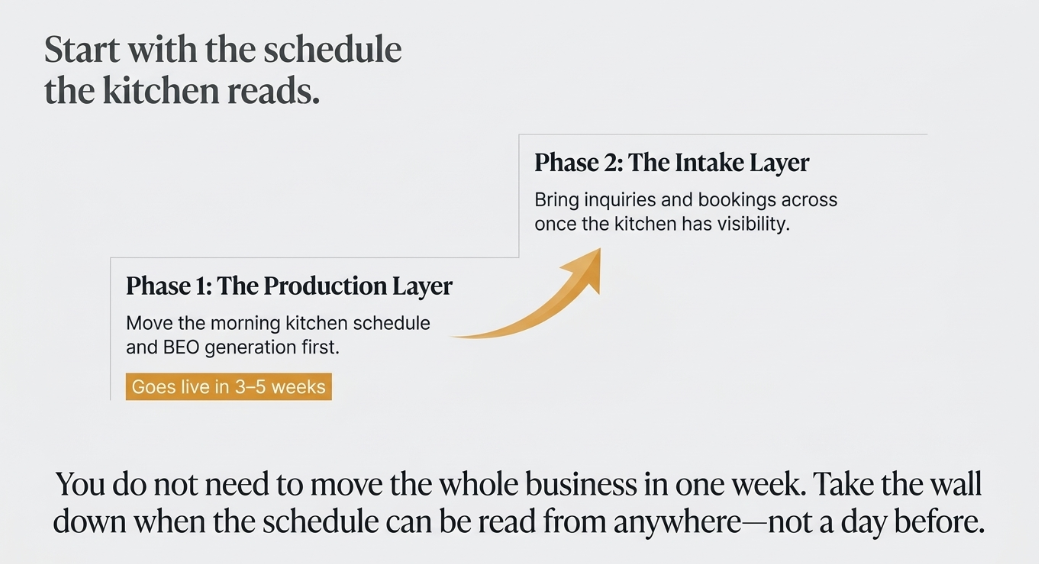
What the page says, and what this article does not add
The CaterSuite page lists six modules: Catering CRM & Sales Pipeline, End-to-End Marketing Automation, Event & Venue Management, Kitchen & Production Workflows, Staffing Coordination, and Reporting & Forecasting. It names integrations with finance tools (QuickBooks, Xero, NetSuite, Sage), kitchen tools (Galley, Restaurant365, Meez), and staffing tools (Nowsta, StaffMate), and it lists HubSpot Quotes and PandaDoc for proposals. Its meta description says the first phase goes live in 3–5 weeks. Pricing is not published. This article adds no figure beyond those, and it makes no claim about results.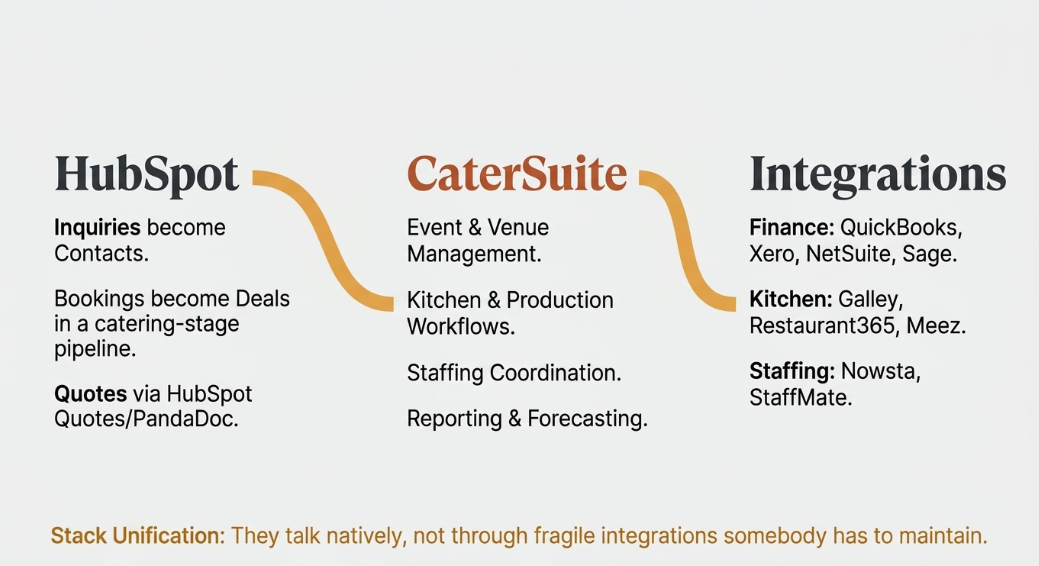
Frequently asked questions
Why does the schedule keep ending up on a whiteboard?
The board works while one person holds the schedule and the kitchen shares a room with the owner. It breaks when sales, marketing, and the kitchen all need the same answer at the same time.
Is a whiteboard the wrong tool?
No. It is a reasonable tool that has outgrown its job. The question is whether the schedule now has to be read by someone who is not standing in front of the board.
Does this work for caterers who already use HubSpot?
[per rev b: confirm this HubSpot-fit wording on the day of publication.] The page describes inquiries as HubSpot contacts and bookings as deals in a catering-stage pipeline, so the schedule sits on the platform your marketing and sales already use.
How long does the first phase take?
The page's meta description says the first phase goes live in 3–5 weeks. The page gives no total project duration, and this article does not offer one.
Is pricing published?
No. Pricing is not published on the page.
Can a single-operator business use this?
The page says the platform is tailored to how your business books, prices, and runs events. That fit is the thing to test before you commit to anything.
What should I move first?
Start with the schedule the kitchen reads every morning, then bring inquiries and bookings across as the first phase allows.
The whiteboard is not the failure. It was the right record for a time when one person's memory and one room were enough. The failure is letting it stay the record once the sales coordinator, the marketing lead, and the owner all need the same answer, and none of them can get it without a conversation. Take the wall down when the schedule can be read from anywhere, and not a day before.
To see how that review would apply to your own schedule, start at a single platform that unifies catering operations.



Leave a Comment