


Not if the catering work and the customer record can sit on one platform. HubSpot holds inquiries as contacts and bookings as deals on all plans. Event records, BEOs and staffing requests do not appear among its documented standard objects, and custom objects need an Enterprise subscription. CaterSuite is one catering layer built on the HubSpot you already run.
Do You Need Separate Catering Software If You Already Run HubSpot?
Not if the catering work and the customer record can sit on one platform. HubSpot holds inquiries as contacts and bookings as deals on all plans. Event records, BEOs, and staffing requests do not appear among its documented standard objects, and custom objects need an Enterprise subscription. CaterSuite is one catering layer built on the HubSpot you already run.
Tuesday, 2:15 PM. The marketing lead has the HubSpot portal open, and she asks the question nobody in the room wants to answer: why does catering need its own software when the company already pays for HubSpot? The pipeline holds forty deals, and each one has a contact and a stage. None of them records the event it became. There is no event record to open, no BEO attached to the deal, and no staffing request anyone can assign against a date. The deals are real. The events they describe live somewhere else.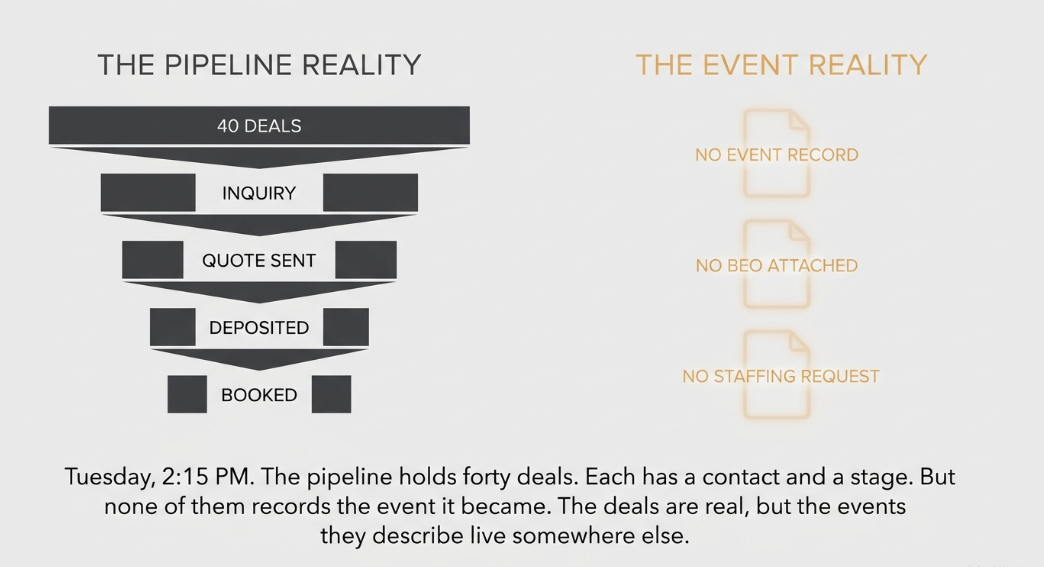
Her objection is a familiar one: HubSpot is for marketing and sales, so the catering work belongs in a different tool. Part of that is right. HubSpot already holds the part of the business that begins with an inquiry. The open question is what happens after the deal closes, and whether that part can sit on the same customer record.
Stack Unification, in plain terms
Whether HubSpot can hold catering is the wrong test. The test is whether the catering work and the customer record sit on one platform. That is the idea behind Stack Unification: marketing, sales, and catering operations on one platform (HubSpot) so they talk natively rather than through integrations that leak; [per rev b, E1: the structural difference competitors cannot enter without rebuilding]. The connection pattern itself is covered in which catering software connects to HubSpot.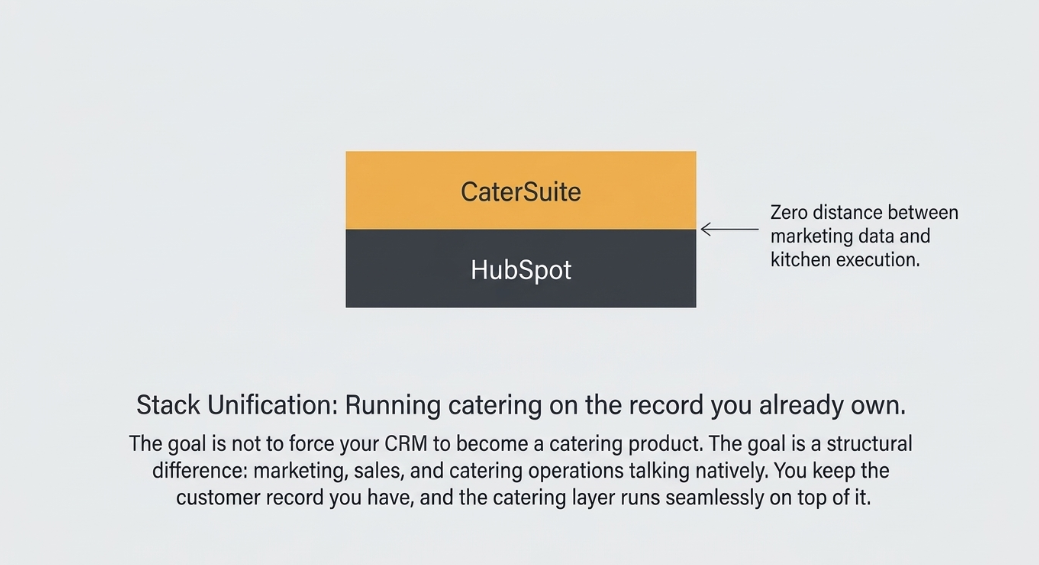
What HubSpot holds natively
HubSpot's own documentation sets the baseline, and it is generous on the customer side. Contacts are a standard object. The objects guide lists contacts, deals, subscriptions, activities, payments, and conversations as examples of standard objects (HubSpot Knowledge Base, "Understand objects", updated 2 Oct 2026). For a catering business, the inquiry becomes a contact, activities such as calls and notes are recorded against that contact, and the booking becomes a deal.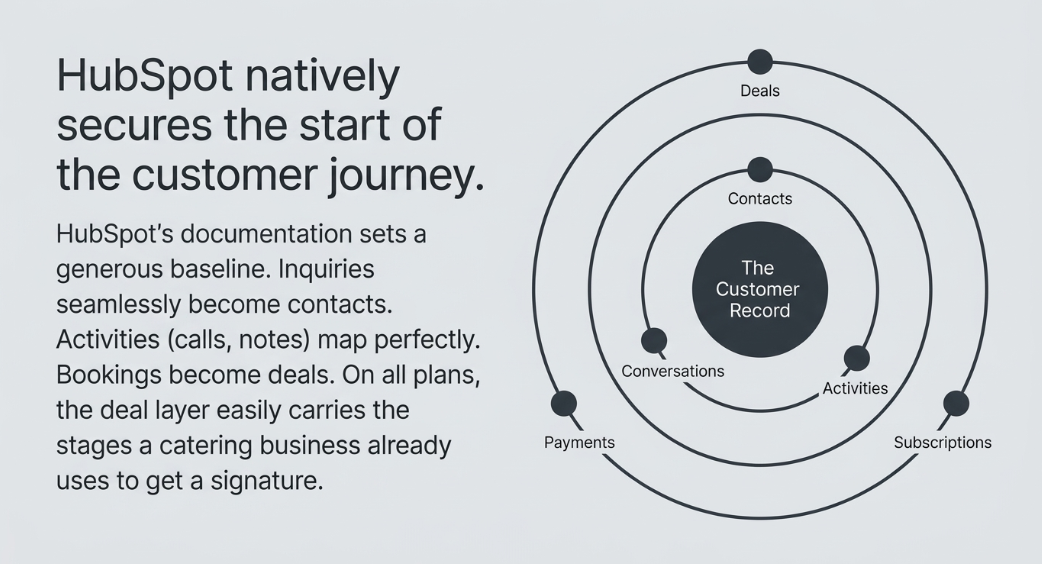
The deal layer is where most catering teams already spend their time. HubSpot's "Generate sales" guide, updated 23 Oct 2026, covers creating deals, setting up and customizing a deal pipeline with its stages, and setting up deal pipeline automation. It lists that subscription as all products and plans. A catering pipeline can therefore carry the stages the business already uses, from inquiry through quote sent, deposited, and booked, without a second system holding the bookings.
Follow-up runs on workflows, and that is where tier starts to matter. HubSpot's "Create workflows" guide, updated 25 Sep 2026, lists Marketing, Sales, Service, Data, Smart CRM and Revenue Hub among the hubs that support workflows, at Professional or Enterprise. Some features also require HubSpot Credits or seats. The objects guide adds that leads require Sales Hub Professional or Enterprise. Check your current tier against those lines before assuming a follow-up sequence will run on the plan you hold.
What sits outside the standard model
Catering work has record types that HubSpot's standard set does not list. The objects guide gives contacts, deals, subscriptions, activities, payments, and conversations as examples. It does not list an event, a banquet event order, or a staffing request. That describes the documented examples, not a full inventory of the product, which is why the account should be tested rather than assumed.
A banquet event order, or BEO, is the contract that holds all the details of an event, as agreed between the client and the sales or catering team. A hospitality trade explainer gives that definition (Hotel Tech Report, updated 16 Feb 2023). In an account with only standard objects, the BEO has no record of its own. It becomes an attachment to a deal, a printout on the prep table, or a note.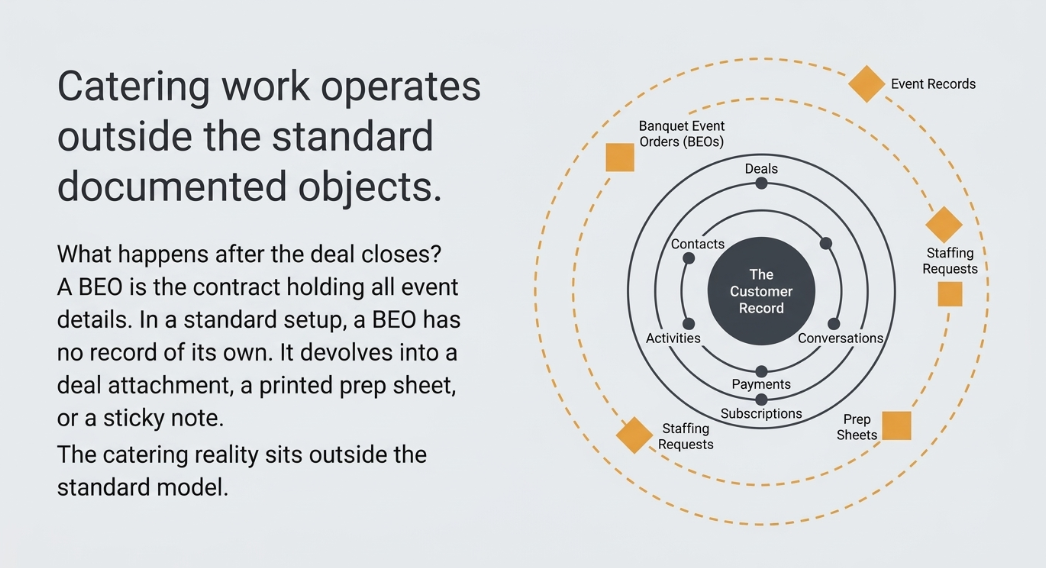
Where a record type is missing, HubSpot's route is custom objects. Custom objects are available with any of the seven Enterprise subscriptions, across the Marketing, Sales, Service, Data, Content, Smart CRM and Revenue Hub editions, and the limits on them depend on subscription (HubSpot Knowledge Base, "Create and edit custom objects", updated 31 Aug 2026). Custom object pipeline automation is Enterprise only. An event record built inside HubSpot is therefore a tier decision as well as a setup task.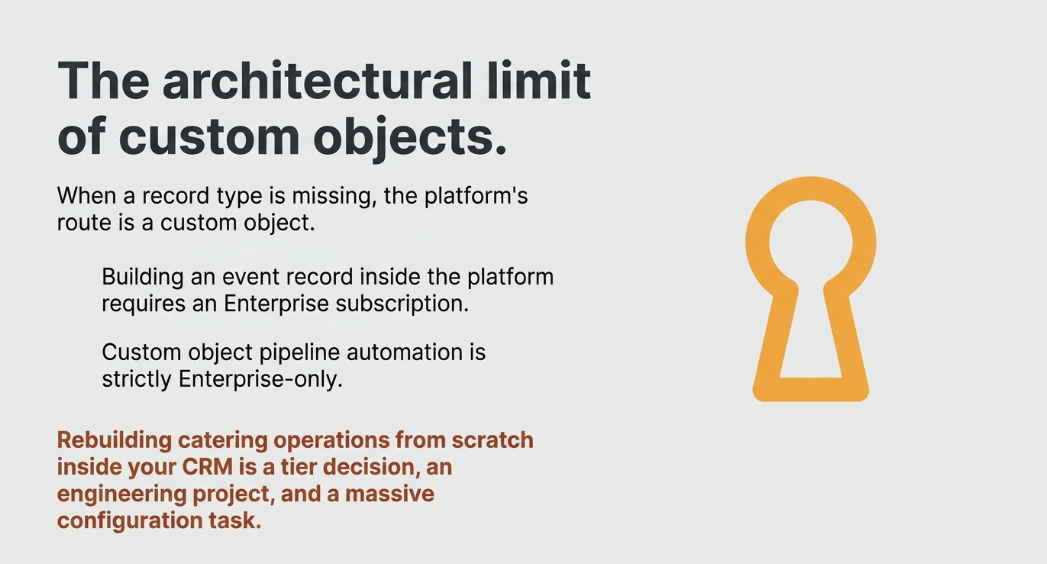
CaterSuite's page names event and venue management, kitchen and production workflows, and staffing coordination among its six modules, and lists automated BEO generation and kitchen prep sheets among its capabilities. That is the catering side the standard model does not cover. The page's wording is the reference here, and this article adds nothing beyond it.
The Disconnect is the gap between marketing, sales, and catering operations where each runs in its own system and nothing talks to anything else: inquiries land in seven places, follow-ups live on sticky notes, bookings happen that the kitchen hears about at the briefing. The longer case is in why do catering inquiries slip through the cracks even when I watch my inbox.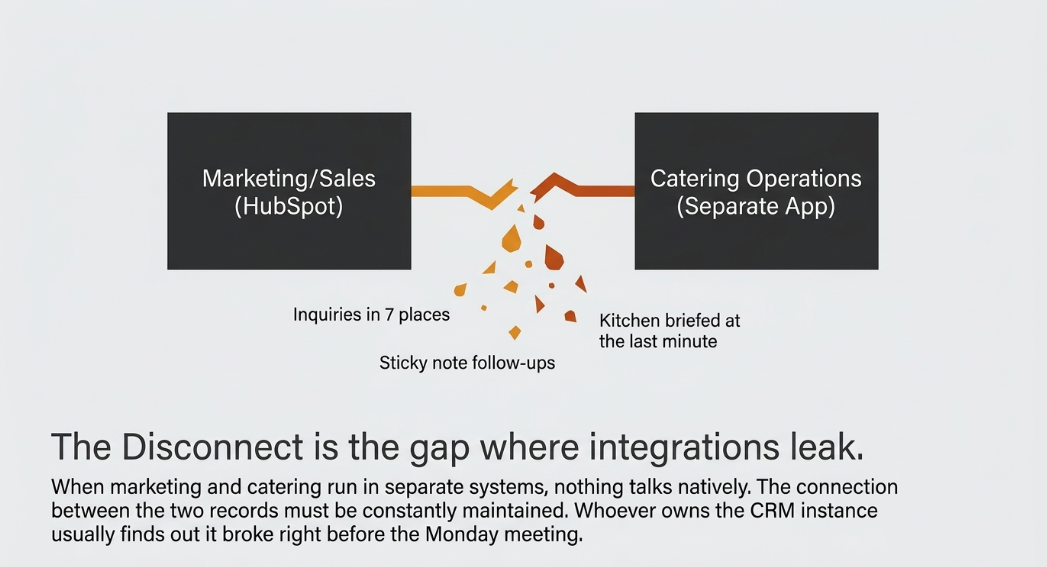
Does your HubSpot already hold this?
Run these questions against the account the business already pays for. Each one maps to a tier fact above.
- Does every inquiry exist as a contact? (Standard object.)
- Does every booking exist as a deal in catering stages? (Standard object, all plans.)
- Do follow-ups run as workflows on your current tier? (Check the workflow tier.)
- Does each event have its own record, linked to its deal? (Custom object; Enterprise.)
- Does each BEO exist as a record linked to the deal, rather than as an attachment? (Not a standard object.)
- Can staff requests be assigned against a specific event? (Not a standard object.)
- Does your subscription include Enterprise? (Required for custom objects on any hub.)
If the first three are yes and the last four are no, the customer side is covered, and the catering side is what the account lacks. If the last four are yes, the account already carries the catering layer, and the question becomes one of configuration.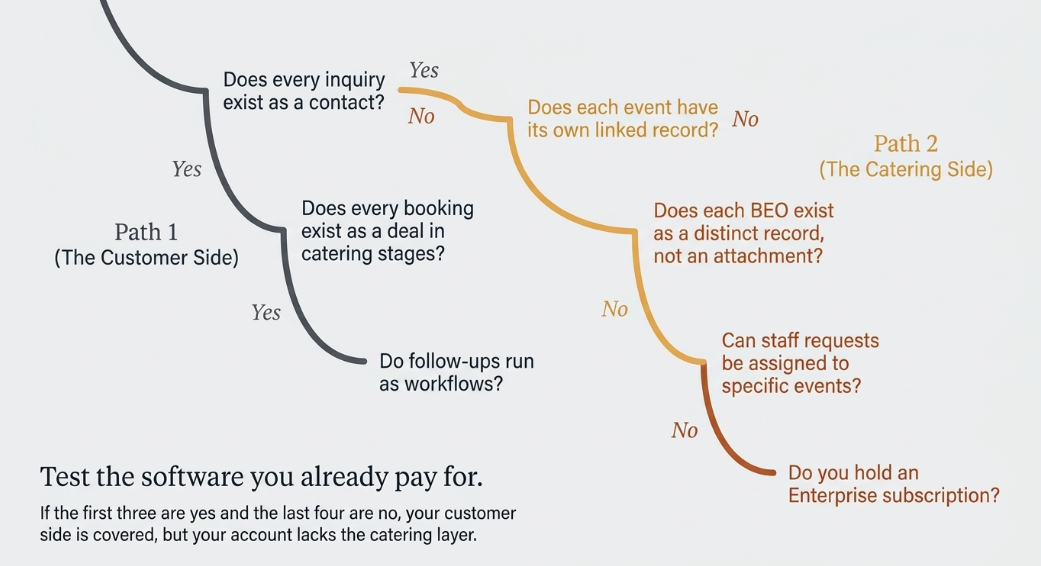
Where the buy-or-build test lands
A separate catering system earns its place when it cannot share the customer record. If it can share that record, the choice is about how the catering work is run, and the customer data stays where marketing and sales already read it. If it cannot, the business runs two records for one customer, and the cost usually shows up at the Monday reconciliation before it shows up in a report.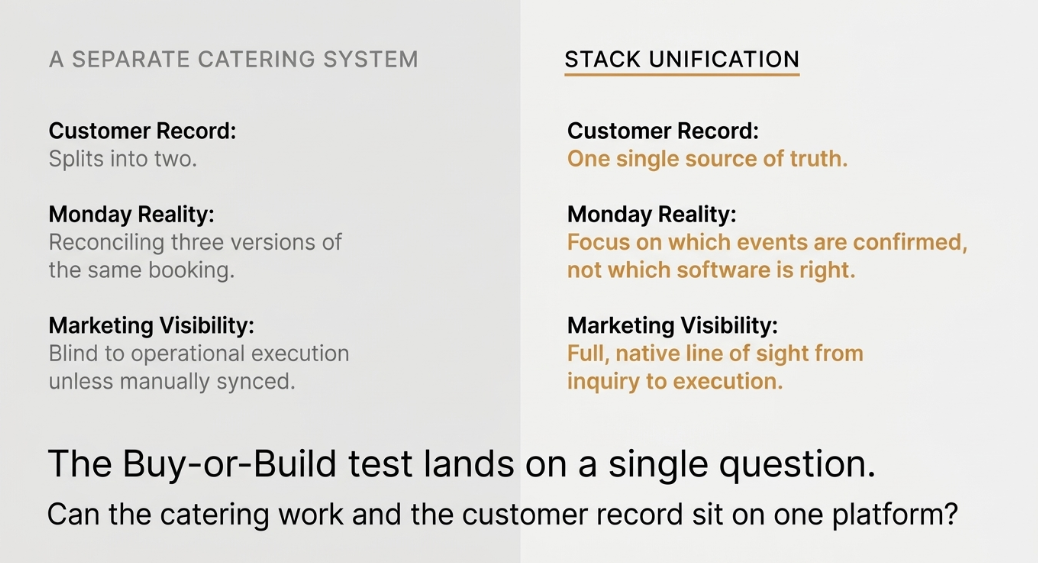
What stays in HubSpot under this test is the customer: the contact, the activities, the deal, and its pipeline. What moves, if the business chooses to move it, is the catering work attached to that customer. The decision does not require HubSpot to become a catering product. It requires the catering work and the customer record to sit on one platform.
How the connection is made, and what each method asks of the team that keeps it running, is a separate question. It is covered in how do I connect catering software to my CRM without breaking either.
Running catering on the record you already own
The recommended path follows from that test. The business keeps the customer record it has, and the catering layer runs on it. the HubSpot-native catering platform describes CaterSuite's position: catering built on HubSpot, so the catering work sits beside the contacts and deals the account already holds.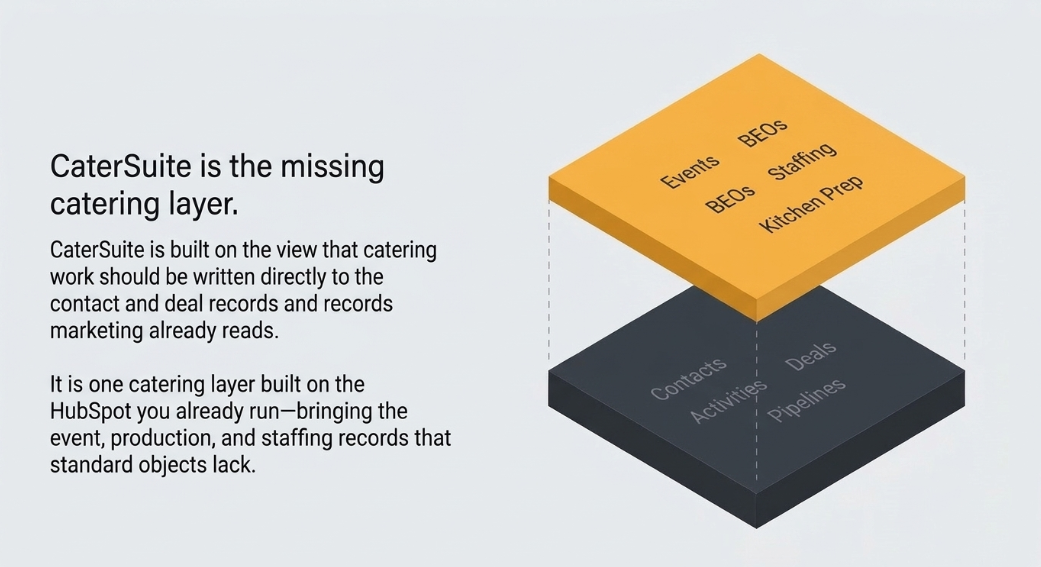
The page names six modules: Catering CRM & Sales Pipeline; End-to-End Marketing Automation; Event & Venue Management; Kitchen & Production Workflows; Staffing Coordination; and Reporting & Forecasting. This article does not describe them further.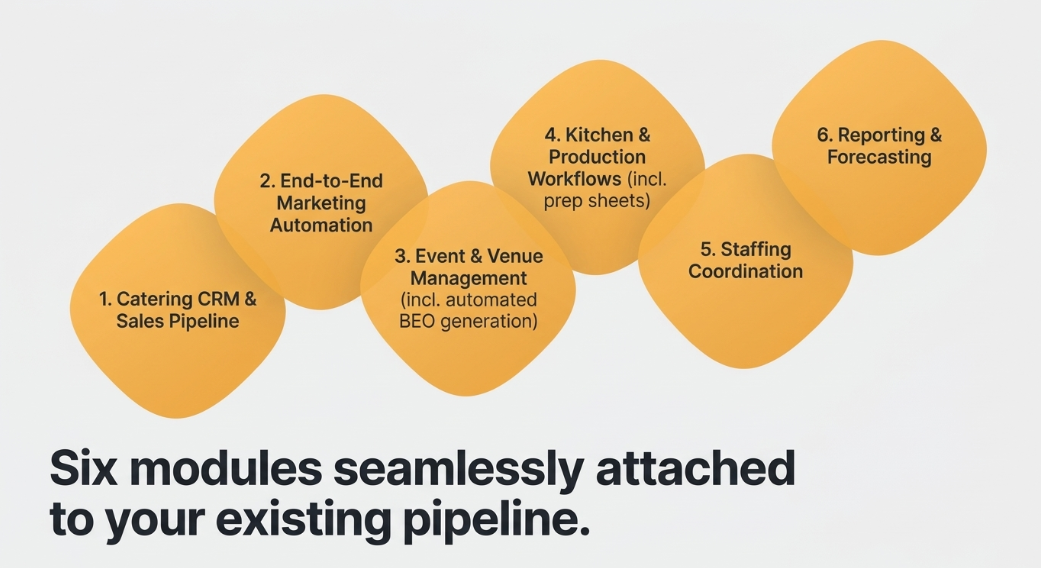
Delivery is phased. The page describes the work as delivered in phases, so that each one is working for the team before the next begins. Its meta description states that the first phase is live in 3–5 weeks. That is the page's wording for the first phase. It is not a total duration, and the page gives none.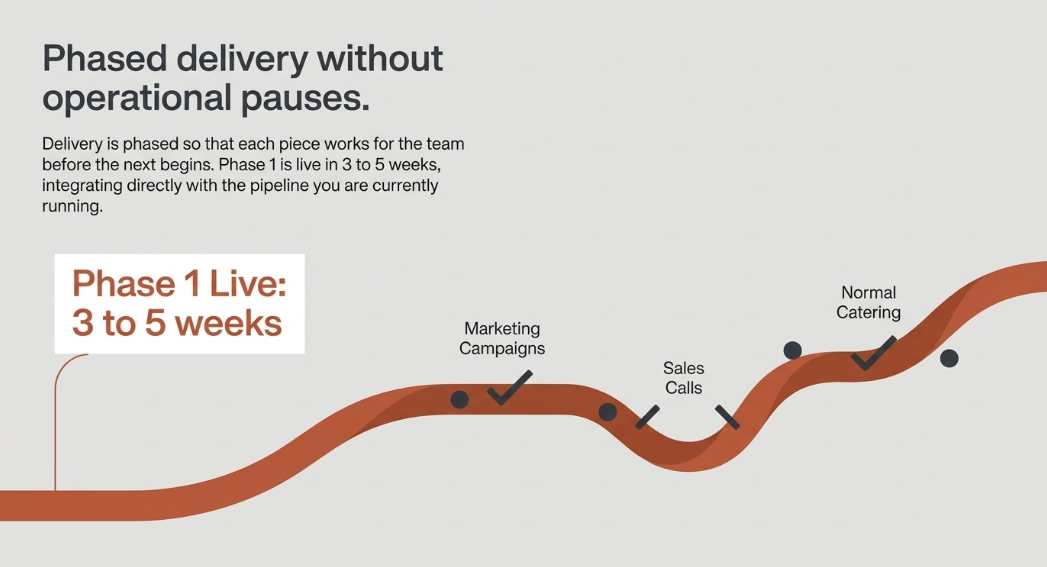
Picture the Monday meeting after the move. The inquiry, the booking, and the follow-up sit on the same record, so the question on the table becomes which events are confirmed, not which system is right. The meeting still happens, but it no longer has to reconcile three versions of the same booking.
The CETDIGIT perspective
CETDIGIT's view is that catering work should be written to the contact and deal records marketing already reads, rather than copied into a second system and reconciled later. CaterSuite is built on that view and presents itself as running the business on HubSpot. The mechanism is the argument: one record per customer, with the event, production, and staffing work attached to it.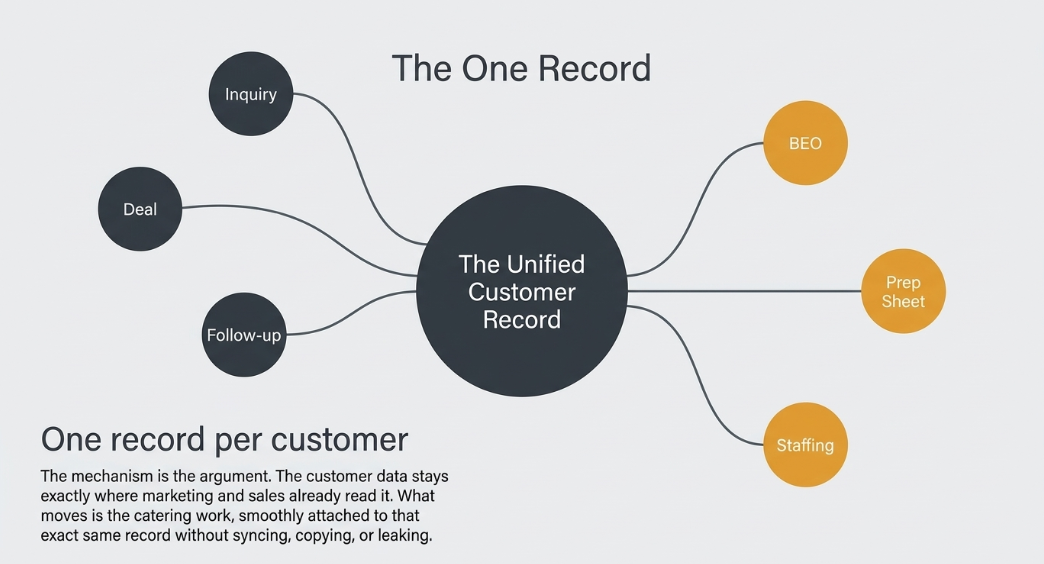
Frequently asked questions
Does this work for caterers who already use HubSpot?
It is built for that starting point. The account already holds the inquiry as a contact and the booking as a deal. The catering layer adds the event, production, and staffing records that HubSpot's standard objects do not list.
Can HubSpot run catering on its own?
It can hold the customer side on its own: contacts, deals, pipeline stages, and workflows, at the tiers described above. The event, BEO, prep sheet, and staffing records sit outside its standard objects.
Do I need Enterprise to track events?
If events are tracked as custom objects, yes. Custom objects need an Enterprise subscription on whichever hub you run. Bookings tracked as deals do not need that tier, since deals are available on all products and plans.
Is a separate catering system ever needed?
Yes, when the catering work cannot sit on the same customer record. If a separate system can share that record, the decision is about how catering operations run, not about where customer data lives.
What happens to the customer record if we keep a separate tool?
The record splits. Marketing reads one contact, operations reads another, and the link between them has to be kept working. Whoever owns the HubSpot instance usually finds out when it stops.
Does the move have to happen all at once?
No. The page describes delivery in phases, each working before the next begins, and gives 3–5 weeks for the first phase, as the page states.
Will marketing lose visibility of bookings?
Marketing keeps reading the contact and deal records it already reads. A booking held in a separate system does not appear there unless it is synced, which is the reason to share the record in the first place.
Back at 2:15 PM
The question on the screen has an answer now. The forty deals already hold the customer. What remains open is whether the events they became can sit on the same record. In an account without custom objects, they cannot yet. That is a bounded problem, and a first phase on the platform the business already runs is a reasonable way to start.
Next step
The first step is a review of lead intake, order management, and follow-up, as the page's audit wording describes it. Start with catering built on the HubSpot you already run and see what that review would cover.

Leave a Comment