


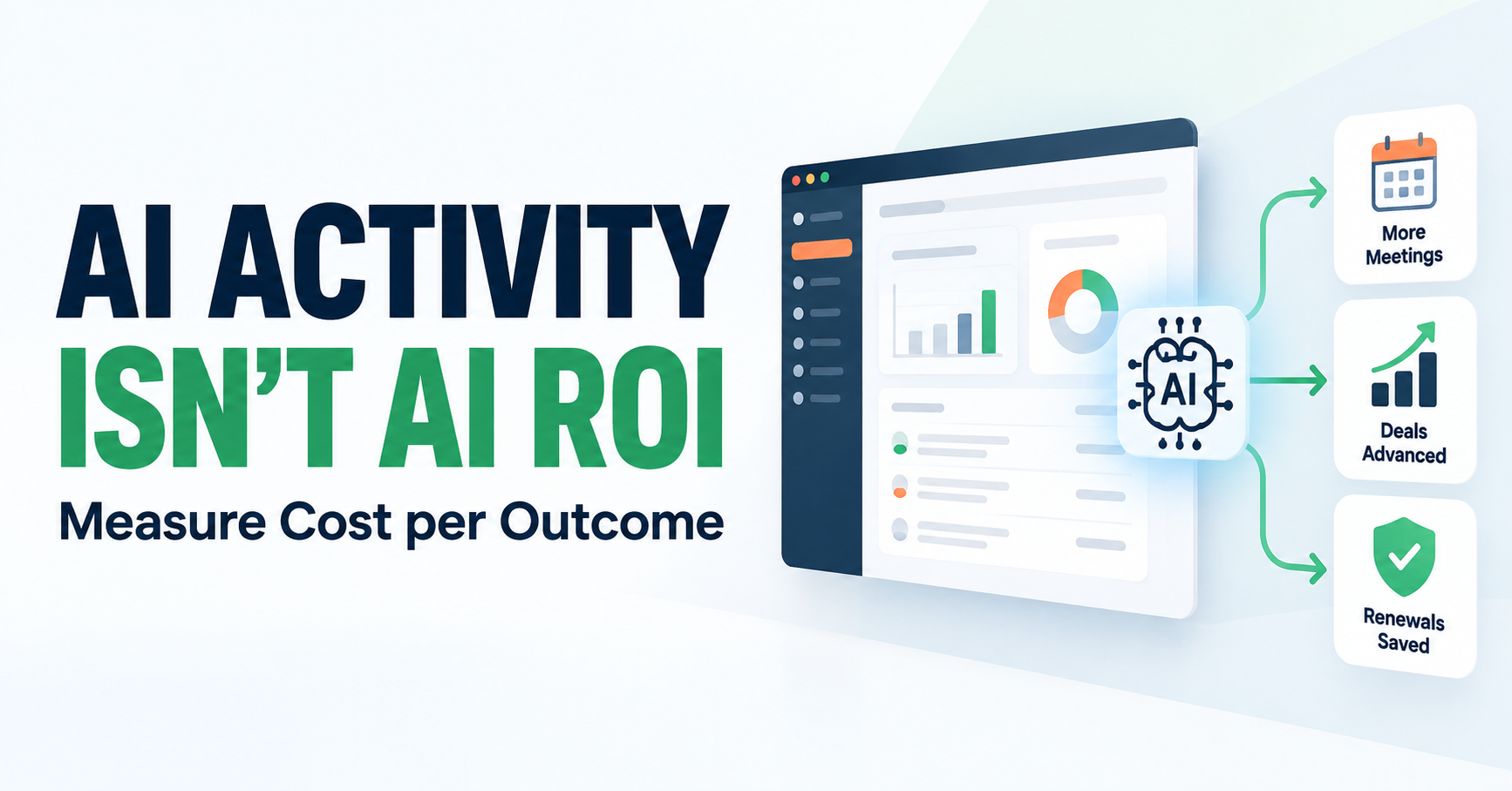
Cost per Outcome is how you know the AI in your HubSpot is paying off: what one business outcome costs, measured against your own baseline from before the AI. An outcome is a meeting booked, a deal advanced, or a renewal saved, and the cost includes what it takes to run the AI. Hours saved, logins, and adoption are activities, not payoffs.
The Monday you can't find the number
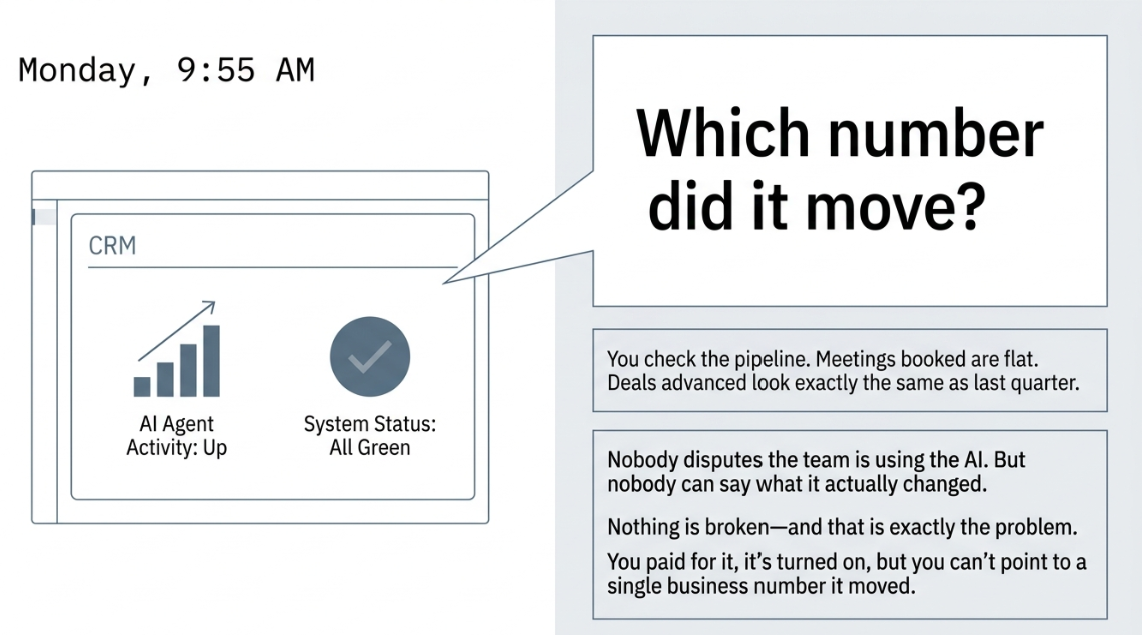
It's Monday, a little before the 10:00 pipeline review. You open HubSpot, and the activity count on your AI agent is up again. Every status is green. Then your VP asks the question you've been expecting: Which number did it move? You check. Meetings booked are flat. Deals advanced look the same as last quarter. Nobody disputes that the team is using the AI. Nobody can say what it changed.
Nothing is broken, and that's the problem. You paid for it, you turned it on, your people are using it, and you still can't point to one business number it moved. This scene is an illustration, not a client story. If you've turned on Breeze Assistant, an agent or a pilot, and it sounds familiar, how CETDIGIT helps your team get AI working starts with a plainer question than which tool to try next: which number was it supposed to move?
Why "it's turned on" isn't the same as "it's paying off"
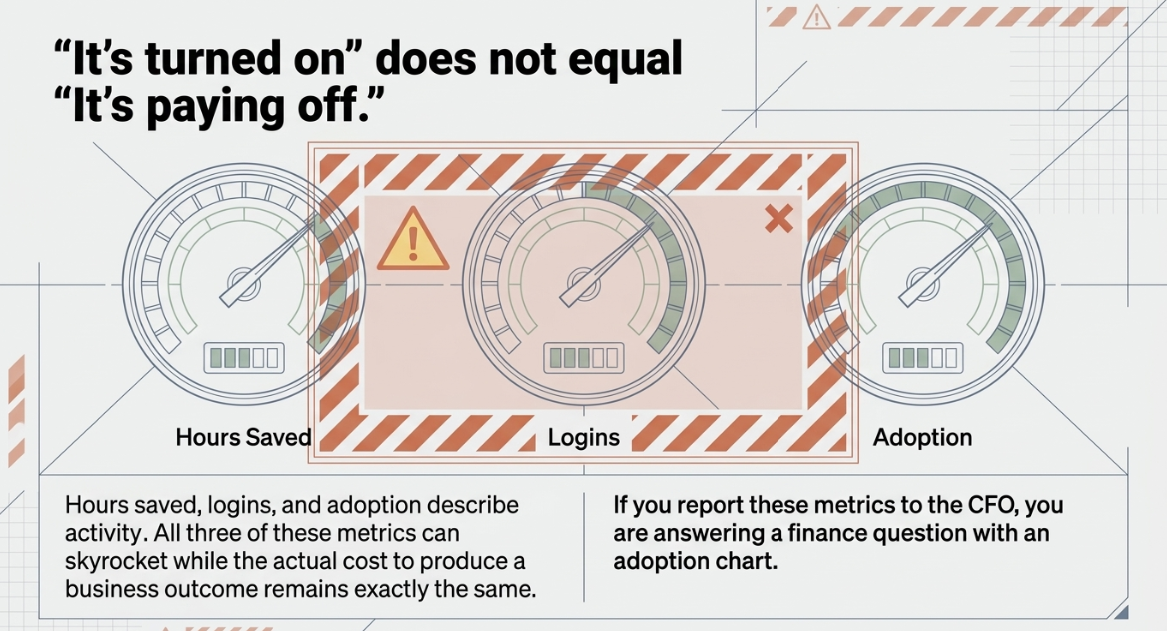
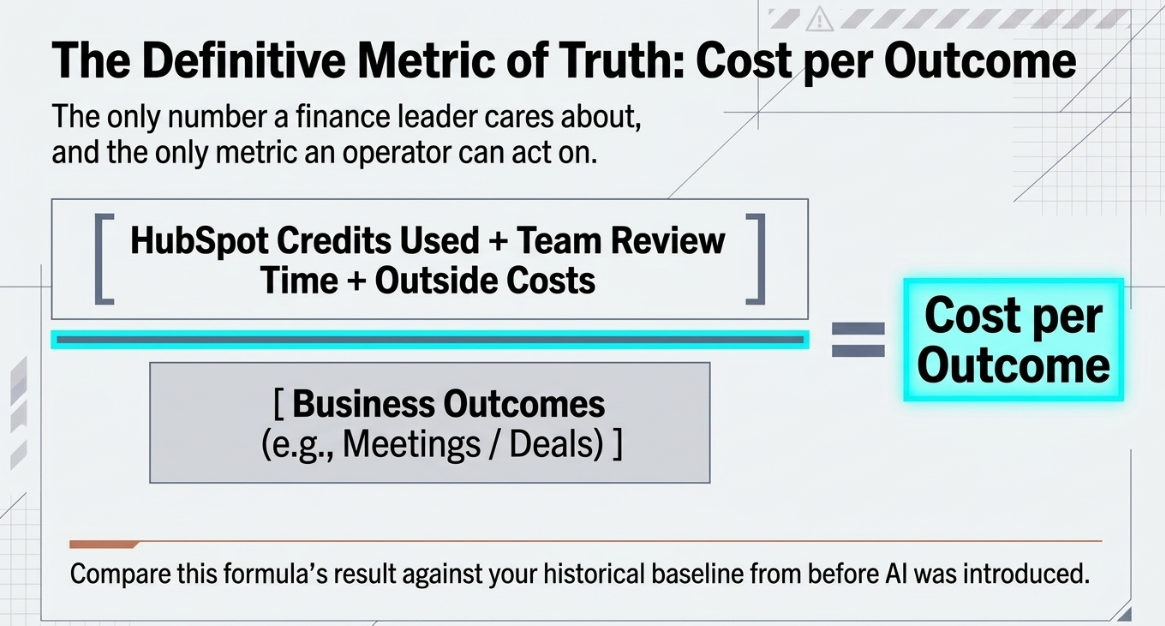
Paying off means one thing: Cost per Outcome. It is what one business outcome costs you with the AI running, measured against what that outcome cost before. Actions taken, logins, and hours saved describe activity, and all three can increase while the cost of an outcome stays the same. For the stack-level version of this question, see why a CRM stack can fail to show ROI.
What HubSpot's survey found
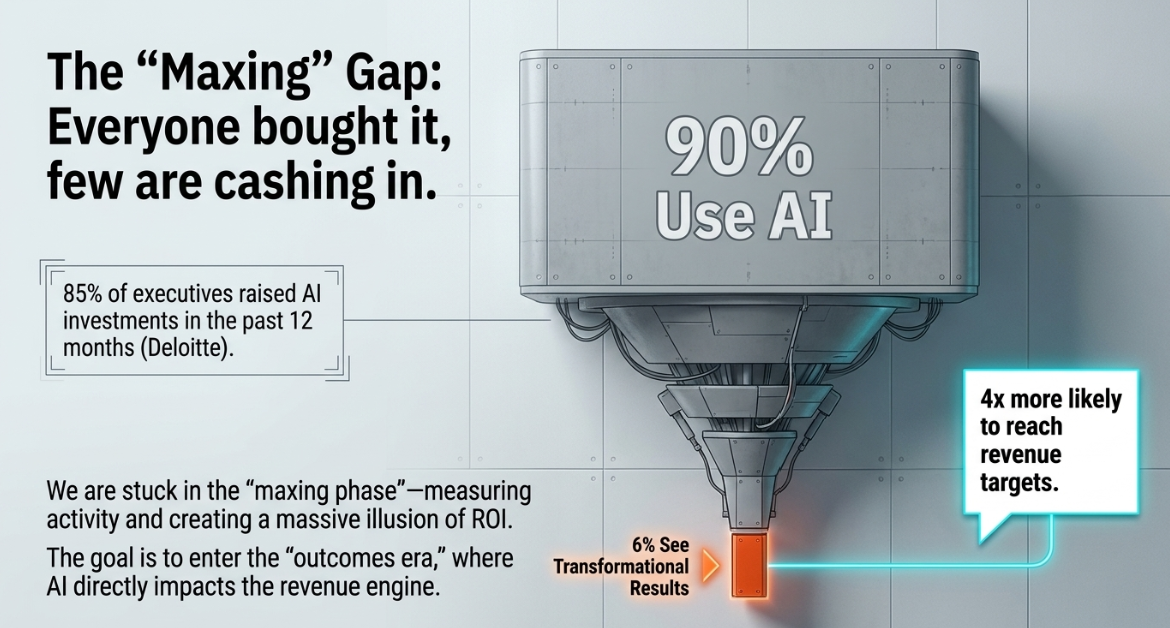
HubSpot's UNBOUND 2026 survey of 6,000 customers and prospects, as reported in CEO Yamini Rangan's keynote, found that 90% use AI, 6% see transformational results, and those 6% are four times more likely to reach their revenue targets. The CEO used two names for the shift: the "maxing phase" and the "outcomes era".
What analysts see when they ask about returns
A Deloitte survey of 1,854 executives in Europe and the Middle East found that 85% raised AI investment in the past 12 months and 91% plan to raise it again. We found no survey built around companies of 50 to 200 people, so read the figures in this piece as direction, not as a benchmark for your team.
Who this affects
This is for the person who has to answer for the AI: a RevOps or Marketing Ops lead, a VP of Sales or Head of Growth, or a founder-operator who still reads the dashboards. You work in a HubSpot company of roughly 50 to 200 people. You've switched on Breeze Assistant, an agent or a pilot, and your team uses it. Nobody has decided what happens next, and the question from above keeps getting louder. When the number isn't there, you're the one who gets asked.
It is not for teams still deciding whether to start. If nothing is switched on yet, the steps below still apply, and the baseline in step 2 comes first.
What "working" looks like when it isn't
You're likely here if more than one of these is true.
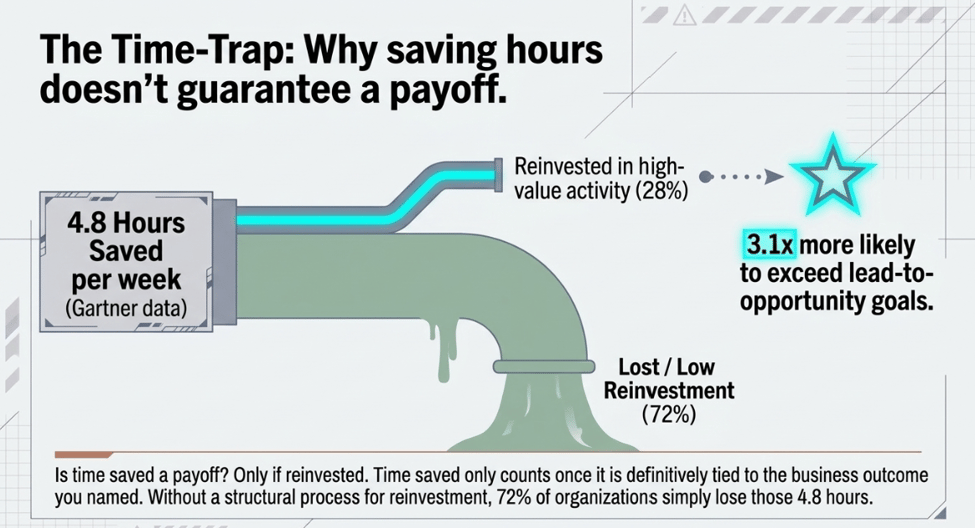
- You can see activity climbing, but you can't name a business number that moved. A Gartner survey of 210 chief sales officers and senior sales leaders found AI saves sellers an average of 4.8 hours per week, yet 72% of sales organizations reported low reinvestment of that time in high-value activity.
- You rely on the popular use cases. HubSpot's keynote named producing content, sending emails with AI, and preparing for meetings with AI as popular but low-impact.
- You measure usage and call it ROI. Among the metrics named in Wharton's 2025 survey of about 800 US enterprise leaders, 47% assess employee engagement or productivity, for example, clicks or hours used.
- You have no before-number. Nobody wrote down what the outcome cost.
- You answer a finance question with an adoption chart. The CFO wants to know how the spend affected revenue.
Why the number doesn't move
It measures activity instead of an outcome
A Gartner survey of 204 finance leaders found that 45% of CFOs say their AI investments lean toward productivity and 20% say they lean toward decision quality. Gartner advises defining AI success in metrics tied to enterprise objectives and measuring enterprise impact rather than pilots or hours saved. HubSpot's keynote drew a parallel line among use cases and named analyzing campaigns, prioritizing pipeline, and analyzing customer feedback as the high-impact ones. Our reading: the popular uses are easy to count in hours and hard to tie to a number.
There is no baseline, and the data is scattered
Executives in Deloitte's survey gave five reasons ROI is hard to show. Two fit here. Fragmented systems and siloed platforms make before-and-after impact hard to track, and AI is rolled out alongside other changes, so its contribution is hard to isolate. Without a baseline, both turn into arguments instead of measurements.
The AI sits beside the process, not inside it
A system of action responds to a live signal and triggers the next step in the workflow itself, instead of leaving a suggestion for someone to act on later. CETDIGIT covers the difference between a system of record and a system of action in a separate piece. When the AI only suggests, the outcome still depends on what a person does next, and the number can't be traced back to the AI.
Which number to judge it on
Four numbers are called ROI.
|
Measure |
What it tells you |
What it misses |
Enough when |
|
Hours saved |
How much time did the AI free up |
Whether anyone spent that time on an outcome |
The time is reinvested in the outcome you named |
|
Adoption or usage |
Whether your people use it |
Whether using it changed anything |
The question is usability, not payoff |
|
Credits used |
What do HubSpot's usage-based features cost to run |
Review time, outside costs, and any outcome |
You pair it with an outcome count |
|
Cost per Outcome |
What is one outcome with the AI, against your baseline |
Benefits outside the outcome you named |
The question is whether it is paying off |
How CETDIGIT thinks about it
CETDIGIT uses Cost per Outcome because it answers the question a finance leader asks and an operator can act on. Take the full cost of running the AI over a period, including the credits it used and the review time your people spent, and divide by the outcomes it produced. Then set the result beside what the same outcome cost you before. The comparison with your own baseline is the test, and how CETDIGIT frames Cost per Outcome inside an AI revenue engine has its own piece.
CETDIGIT is a HubSpot Elite Partner, and CETDIGIT's work building AI agents on HubSpot starts from the number rather than from a feature list. The approach sits behind CETDIGIT's AI Revenue Engine, which ties AI activity to a revenue number.
How to find out in five steps
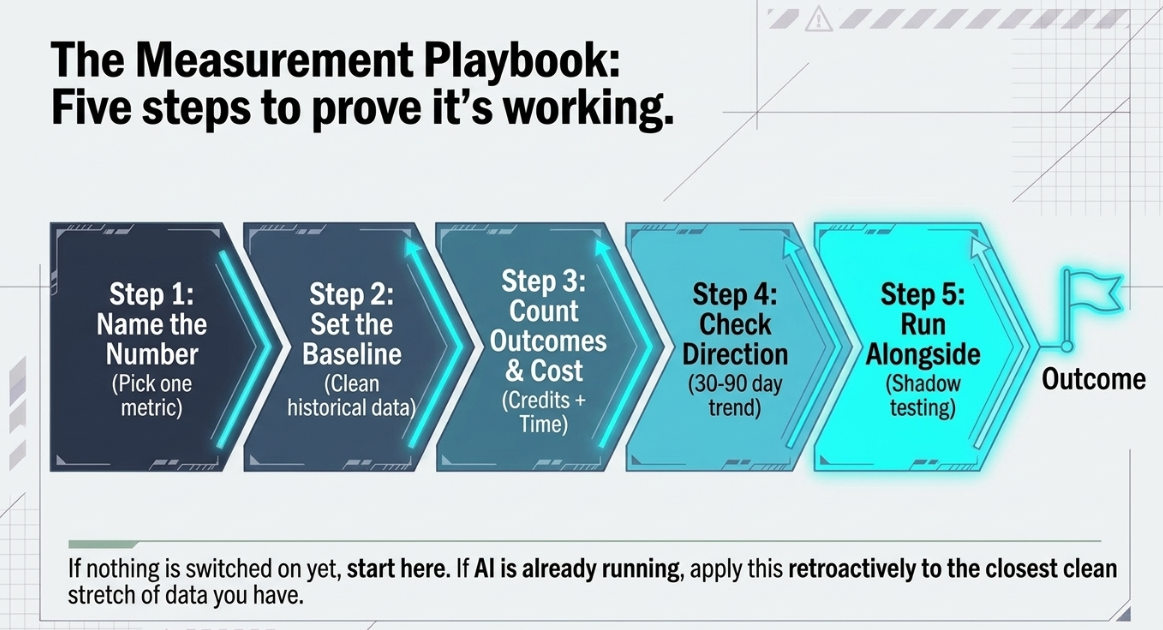
1. Name your number
Pick the one outcome the AI was turned on to move. HubSpot's CEO framed the work around three: build demand, win deals, and delight customers. Then pick one metric inside it, such as a meeting booked or a renewal saved. HubSpot's Dharmesh Shah put the test in his UNBOUND 2026 session: "Name your number … What's the metric you want to move?"
2. Set the baseline from your own data
Write down what that outcome cost before the AI ran, using your own HubSpot data from a clean stretch before it went live. If the AI is already running, use the closest clean stretch you have and say so. Without this number, the result is an opinion.
3. Count outcomes and the cost of the run
Count the outcomes the AI produced, then count the run. HubSpot's documentation on credits says a Super Admin or Billing Admin can review monthly credit usage, including a breakdown by usage-based feature, in Account & Billing, and can set a monthly maximum. Credits cover only usage-based features, so add your team's review time and any costs outside HubSpot. Breeze Assistant, which HubSpot says is included with HubSpot subscriptions, still costs your team's time. Report credits and review hours per outcome side by side, since the documentation gives no dollar conversion. Menu labels and credit rates change, so check your own account.
4. Check the direction at 30 to 90 days
Compare this period's Cost per Outcome with your baseline: falling, flat or rising? Thirty to ninety days is a checkpoint on direction, not a payback date, and the research on AI returns points to longer timelines. If the line is flat, check the use case and the data under it before anyone passes a verdict.
5. Let the AI run alongside your team first
Before the AI acts on its own, let it run alongside your team on one bounded decision. Your people keep making the call while you compare what the AI would have done and what it would have cost against your baseline. HubSpot's CEO said the shift comes when companies stop asking what technology can do and start asking what it should do. How CETDIGIT gets an AI decision running alongside your team first is laid out on its methodology page, and you can see where this fits in CETDIGIT's AI services.
FAQ
How long before the AI in HubSpot shows a return?
In Deloitte's survey of 1,854 executives in Europe and the Middle East, most respondents reported satisfactory ROI on a typical AI use case within two to four years, against seven to 12 months for typical technology investments. About four in five leaders in Wharton's survey of about 800 US enterprise decision-makers expect positive returns within two to three years. Treat 30 to 90 days as a direction check, not a payback date.
Is time saved a good way to tell if the AI is paying off?
A Gartner survey of 210 chief sales officers and senior sales leaders found AI saves sellers an average of 4.8 hours per week, yet 72% of sales organizations reported low reinvestment of that time in high-value activity. Organizations that did reinvest moderate-to-large savings in high-impact activity were 3.1 times more likely to exceed lead-to-opportunity conversion goals. Time saved counts once it's tied to the outcome you named.
How do I see what my AI is costing me in HubSpot?
HubSpot's documentation says a Super Admin or Billing Admin can review monthly credit usage, including a breakdown by usage-based feature, in Account & Billing, and can set a monthly maximum. Credits cover only usage-based features, so they leave out your team's review time and any costs outside HubSpot. Menu labels and credit rates change, so check your own account.
Do other companies actually measure this?
In Wharton's 2025 survey of about 800 US enterprise decision-makers, 72% reported tracking structured, business-linked ROI metrics. In a Gartner survey of sales leaders, 25% reported a return of 50% or more on AI investment, and 20% reported a negative return of 50% or more. Both samples are large enterprises, so read them as direction.
Is measuring this a standalone project or part of something bigger?
Executives in Deloitte's survey said fragmented systems and siloed platforms make before-and-after impact hard to track. That's why CETDIGIT usually treats measurement as part of something bigger: the data the AI reads, the process it acts in, and the number it should move get worked on together. The full range of CETDIGIT's AI services shows how those pieces connect.
Stack Unification Audit
If you want a second read on your number, you can book a Stack Unification Audit, a 60-minute session. Diagnostic of where your AI investment is leaking — connect the stack, then activate AI.



Leave a Comment