


.png)
Your HubSpot data is ready for the AI you turned on when the records behind one decision match what your team already knows to be true. That is the Data Foundation the AI needs. Not the whole portal. Only the part that decision reads. Pick the decision, test those records, let the AI run alongside your team first, and compare its calls with theirs.
The Suggestion That Was Confidently Wrong
(Illustrative scene, not a client story.) It's a Tuesday morning in October, and a Head of RevOps is watching the AI in her HubSpot portal suggest a warm check-in with the champion on a renewal account. The champion left the company in the spring. Everyone on the team knows that. The record still says she's there.
By Thursday, the VP who approved the rollout is asking whether the AI is working. If the answer is the data, she can see the project that follows: audit everything, clean everything, switch the AI back on someday. That fear is reasonable. HubSpot's UNBOUND 2026 keynote warned that AI with bad context is "worse than no AI." The better question is how much of the work this one problem actually needs.
What "Ready" Actually Means
Data readiness is a property of a decision, not of a portal. The usual advice is to audit every object and fix every field first. It's sound, and it has no finish line. CETDIGIT's AI services for growing teams start from a narrower question: what is the AI deciding, and which records does that decision read? What a Data Foundation is has its own piece.
The research agrees. Wang and Strong's data quality research, from 1996, frames quality as fitness for use, judged against the task. Gartner's definition of AI-ready data says the data has to be representative of the specific use case, and that keeping it so is ongoing work. HubSpot's keynote said your data and context are your advantage. That shows only when the AI can trust the part it reads: the Data Foundation, sized to one decision.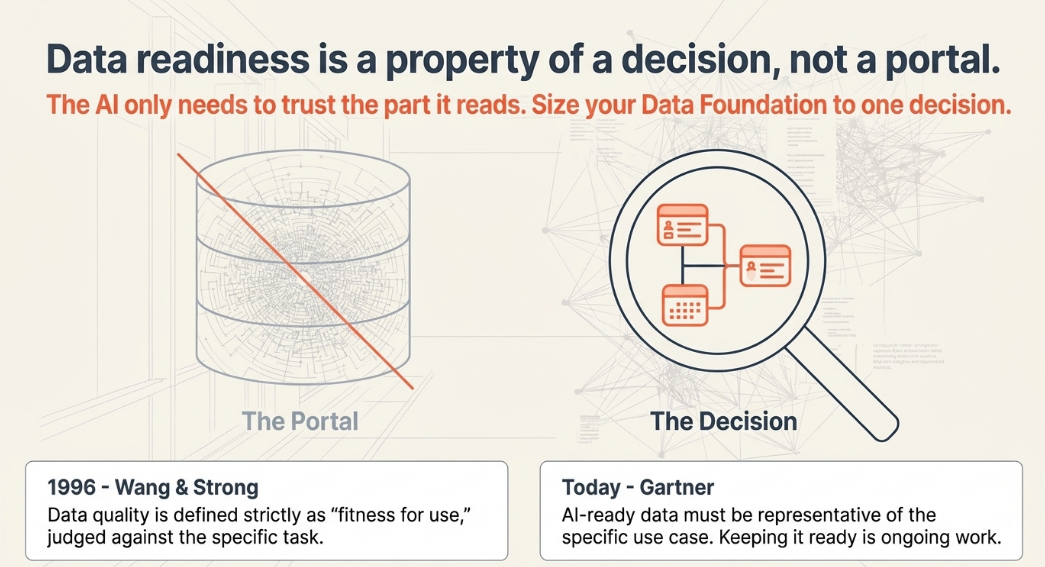
Who This Affects
This is for the portal owner (usually a Head of RevOps or Marketing Ops) who switched on Breeze or one of the HubSpot AI agents and suspects the data is why it isn't landing. It is also for the VP of Marketing or Head of Growth who approved the rollout and wants to know whether the next step is a small test or a large project.
HubSpot's keynote named analyzing campaigns, prioritizing pipeline, and analyzing customer feedback as the high-impact uses, rich in context and data. The Breeze Assistant documentation says the assistant can find and summarize records you have permission to see. The records are what it works from.
What It Looks Like When the Data Isn't Ready
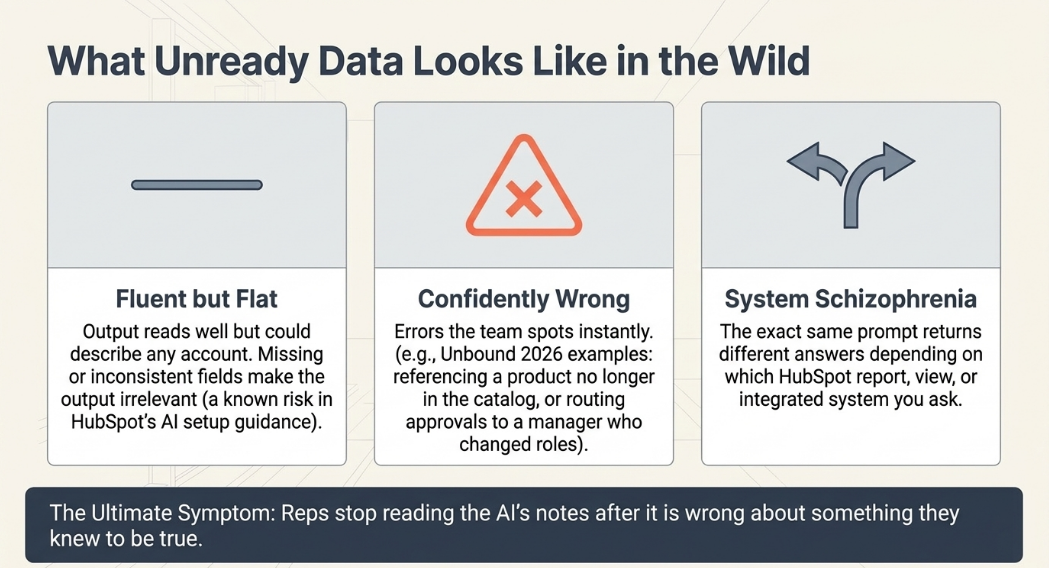
Unready data shows up as output your team stops trusting:
- Suggestions are fluent but flat. They could describe any account, because the fields that would make them specific are empty or inconsistent, which HubSpot's AI setup guidance cautions may make outputs inaccurate or irrelevant.
- Suggestions are confidently wrong in ways your team spots at a glance. HubSpot's keynote gave a product no longer in the catalog, a wrong ARR definition, and an approval routed to a manager who had changed roles.
- The same question returns different answers depending on which report or system you ask.
- Reps stop reading the AI's notes after it is wrong once about something they knew.
Why It Goes Wrong
Data goes wrong for an AI in three ways. Definitions drift, as in HubSpot's wrong ARR example. Ownership lapses, so an approval routes to someone who has moved on. And records split: the facts one decision needs sit in more than one place, and the places disagree.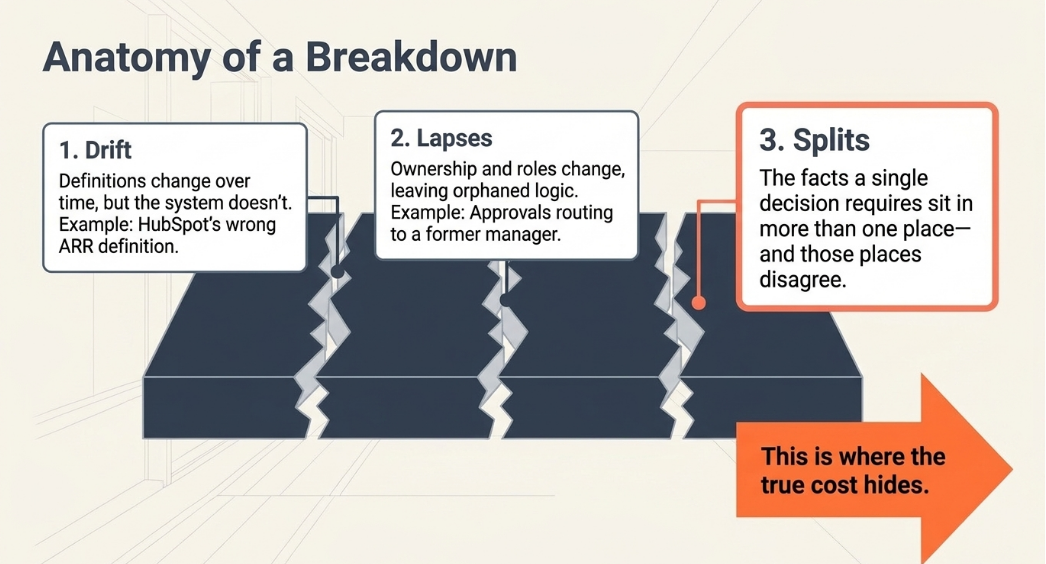
The third is where the cost shows. The AI is handed two versions of the truth, and your team reconciles them by hand. We call that cost the Silo Tax: the measurable cost of AI experiments that add rework instead of speeding revenue up. On HubSpot's UNBOUND customer panel, a RevenueWell speaker called unifying onto one CRM a step many organizations skip, and not an easy one.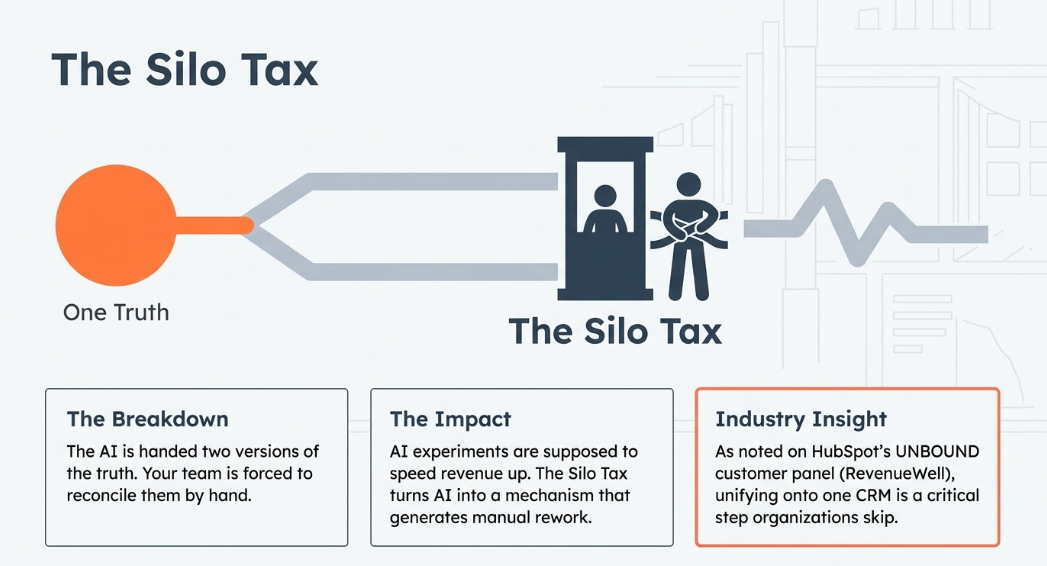
Decision Table: Match the Decision to the Records It Reads
These are the high-impact use cases HubSpot named in its keynote. These records are examples, not a list of what any HubSpot feature reads.
|
Decision the AI is making |
Records it reads |
What to compare it with |
|
Prioritize pipeline |
Open deals, stages, close dates, owners, last activity |
The list your best rep would write |
|
Analyze campaigns |
Campaign and contact sources, lifecycle stages, deals per contact |
Your marketing lead's read |
|
Analyze customer feedback |
Tickets, notes and feedback tied to each company |
Your customer success lead's watch list |
Where a row's records live in more than one system, that is the Silo Tax, and the first thing to resolve.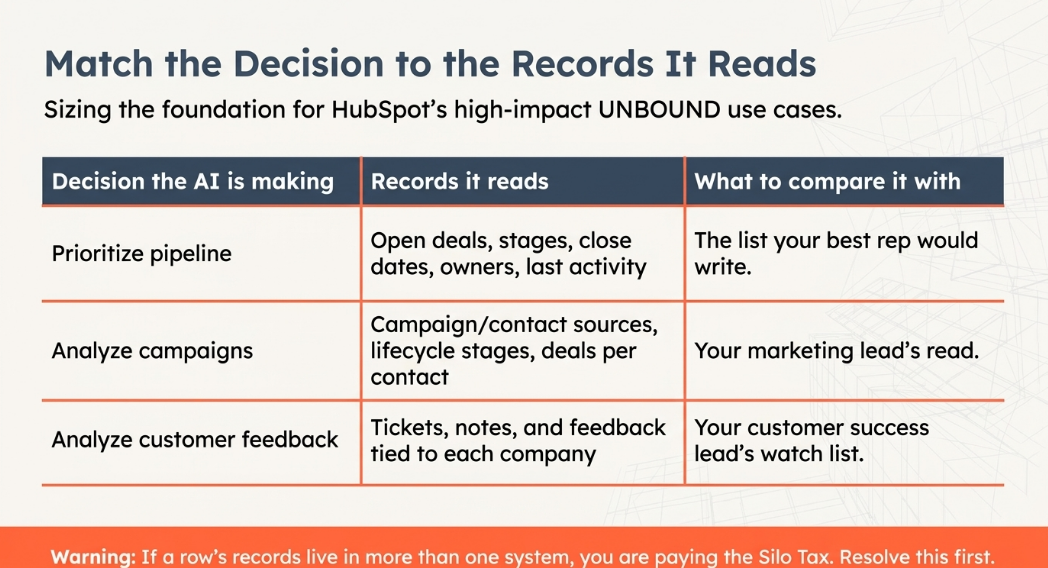
Where CETDIGIT Sits
CETDIGIT works from a simple division of labor: the CRM is the memory, workflows are the rules, agents do the reasoning, and people make the call. Readiness is about the memory. What turns it into a suggested next step is what we call a System of Action (the difference between a system of record and a system of action has its own piece). How you know it's working is Revenue Intelligence: a running comparison of what the AI called, what your team called, and what happened next.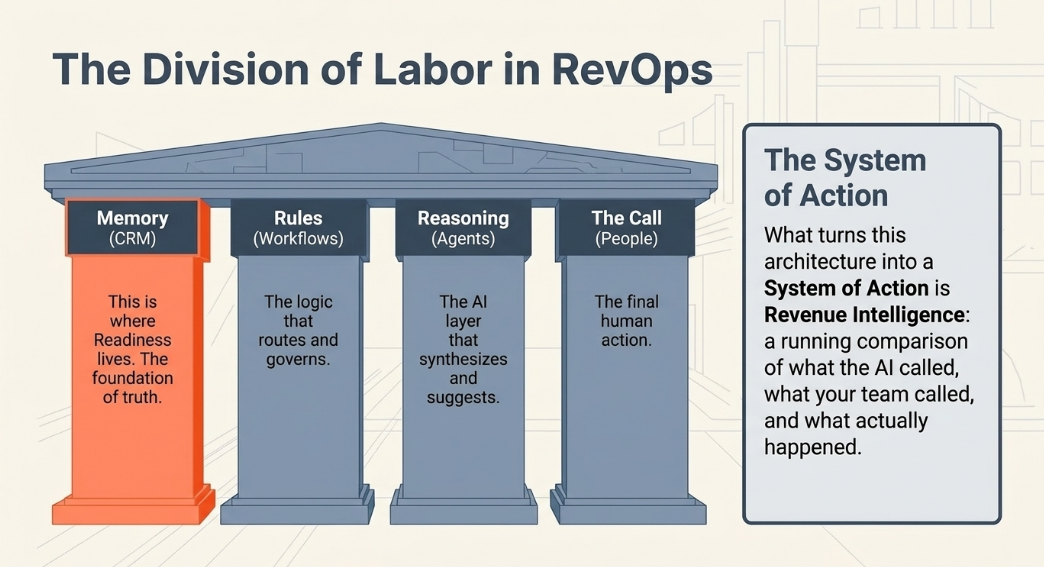
Where records need reconciling, CETDIGIT's Data and AI Foundation service covers the cleanup and connection work, scoped to the decision first. CETDIGIT's AI Revenue Engine shows how that sits beside the rest of your revenue work.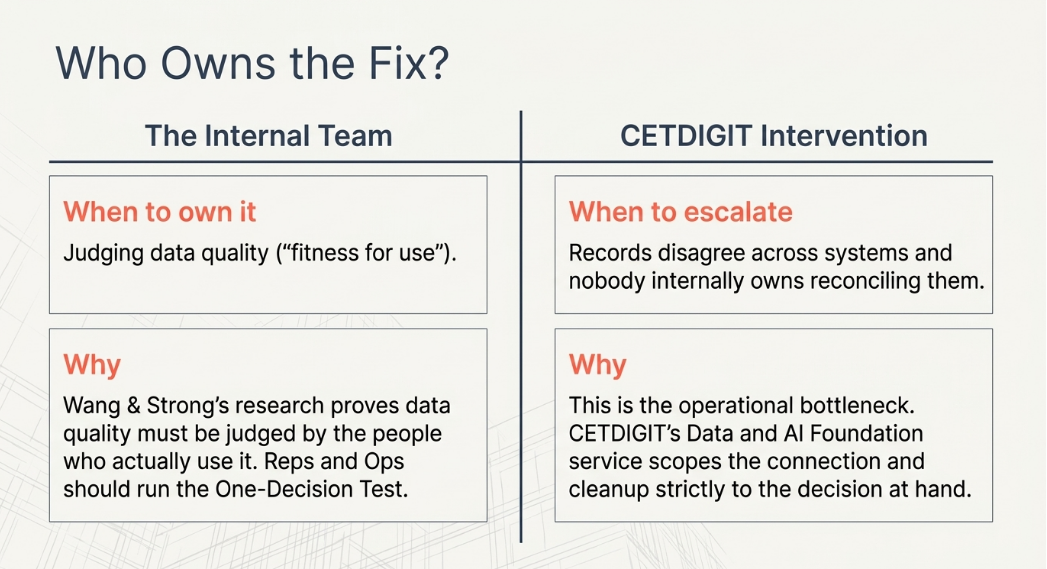
A One-Decision Test You Can Run Yourself
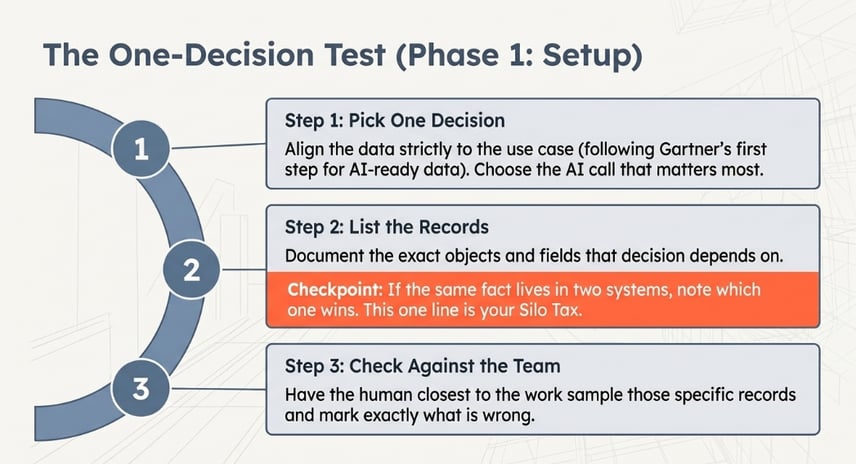
Run these six steps on a single decision first.
- Pick one decision. Choose the call the AI makes that matters most to your team, as Gartner's first step for AI-ready data advises: align the data to the use case.
- List the records it reads. Write down the objects and fields that the decision depends on, where the same fact lives in two systems, and note which one wins. That is your Silo Tax, in one line.
- Check them against what your team knows. Have the person closest to the work sample those records and mark what is wrong.
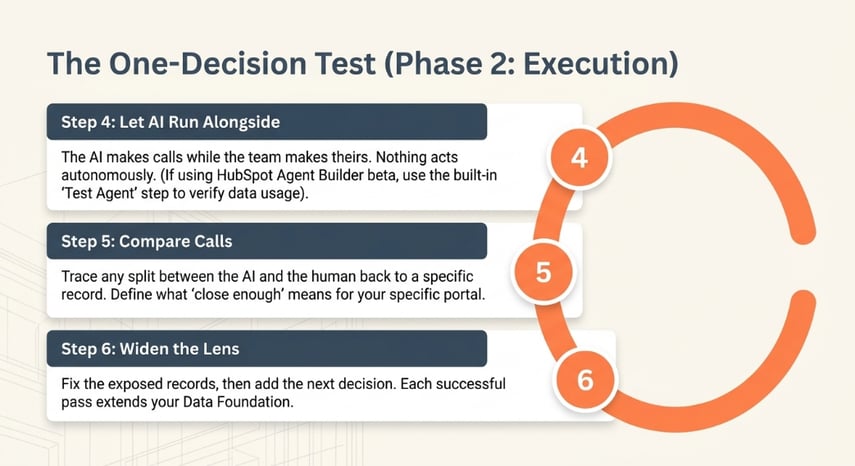
- Let the AI run alongside your team first. It makes its calls while your team keeps making theirs, and nothing acts on its own. If you built the agent in Agent Builder, which HubSpot launched in public beta in July 2026, HubSpot's Agent Builder guide includes a Test agent step for checking that the agent uses the right data. Check its current status before you rely on it.
- Compare its calls with your team's. Where they split, trace the difference to a record. Decide with your team what "close enough" means here, because no pass mark we could give you would fit your portal.
- Widen one decision at a time. Fix what the comparison exposed, then add the next. Each pass extends your Data Foundation by one decision.
To see how this fits with everything else we do, the AI services behind this approach are laid out in one place.
FAQ
Is my HubSpot data good enough for AI?
Wang and Strong's research defines data quality as fitness for use, so "good enough" depends on the task. Gartner's definition of AI-ready data says the same: it has to be representative of the specific use case. Your deal records may suit pipeline ranking and not customer-feedback analysis.
How do I know if my data is good enough for Breeze?
HubSpot's documentation says the assistant can find and summarize records you have permission to see, and its setup guidance warns that incomplete or inconsistent data may make outputs inaccurate or irrelevant. Ask it about an account you know well and trace any gap to the record. The pages we reviewed on October 20, 2026 don't say which properties it reads.
What happens if I turn on AI with bad data in HubSpot?
HubSpot's UNBOUND 2026 keynote warned that bad context does more harm than no AI at all, citing a product no longer in the catalog and an approval routed to a manager who had changed roles. The output is confident, and your team has to catch it. The test runs the AI alongside your team first for that reason.
Do I need to clean up my whole HubSpot portal before using AI?
Gartner's guidance describes AI-ready data as an ongoing practice that starts by aligning data to a specific use case, and HubSpot's AI setup guidance includes organizing and monitoring steps rather than one cleanup. That supports starting with one decision's records. It does not make the larger job optional. The point is order, not avoidance.
Can my team run this check ourselves, or do we need outside help?
Wang and Strong found that data quality has to be judged by the people who use the data, so your reps and operations team can run the test. Outside help earns its place when records disagree across systems, and nobody owns reconciling them, which is the work CETDIGIT's AI services cover.
Stack Unification Audit
If your comparison shows records that disagree across systems, or you can't tell which decision to start with, book a Stack Unification Audit. It is a diagnostic of where your AI investment is leaking: connect the stack, then activate AI. It is not a cleanup project, and it can start with the one decision you have already turned on.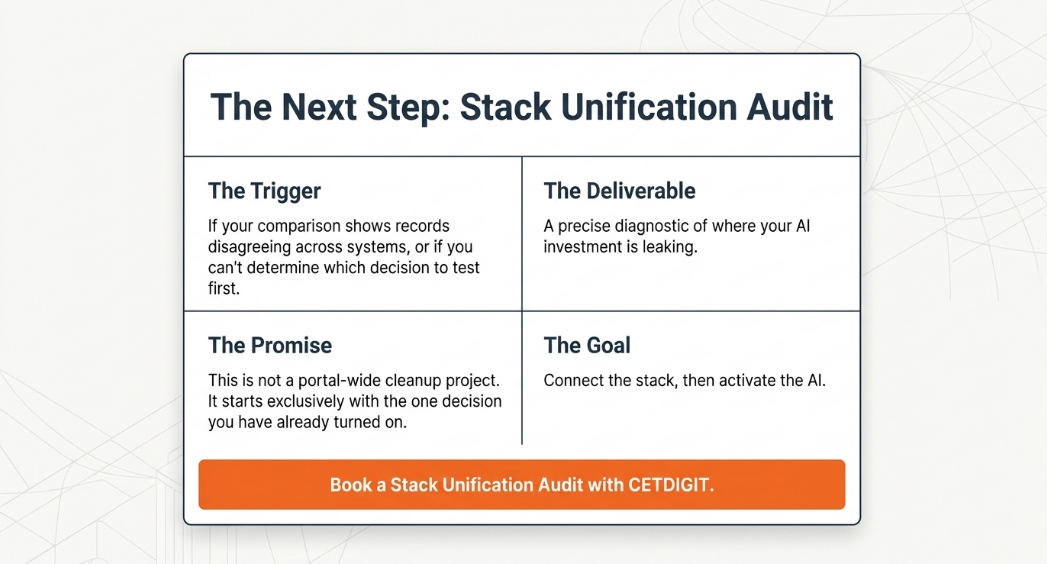
Leave a Comment