


Ask any account executive where their selling time actually goes, and you will hear the same list: logging calls, updating stages, hunting through the CRM before a meeting, assembling a pipeline view for the Monday forecast call, and writing the same follow-up email for the fourth time this week. Salesforce holds the answers, but getting them out and getting updates back in has always cost clicks, tabs, and discipline that most sellers would rather spend talking to customers.
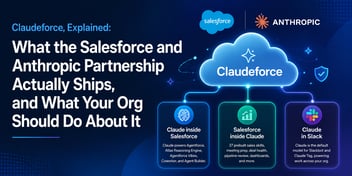
That is the problem the Salesforce in Claude plugin is aimed at, and with the beta now open, it is worth looking past the partnership headlines at what it concretely does to a working day. We wrote a few weeks ago about Claudeforce as a whole: the Salesforce and Anthropic partnership that puts Claude behind Agentforce, brings Salesforce into Claude, and makes Claude the default intelligence in Slack. This piece goes deep on the second of those three workstreams, because it is the one an individual sales team will feel first.
What the plugin actually is
The plugin, released in beta in mid-September 2026, connects Claude to your Salesforce org so a seller can work their accounts, opportunities, and pipeline conversationally, without leaving the chat. It ships with 37 prebuilt sales skills, which are packaged workflows rather than raw data access. The difference matters. A raw connector answers the question you ask; a skill knows what a competent sales operation does and does it end-to-end.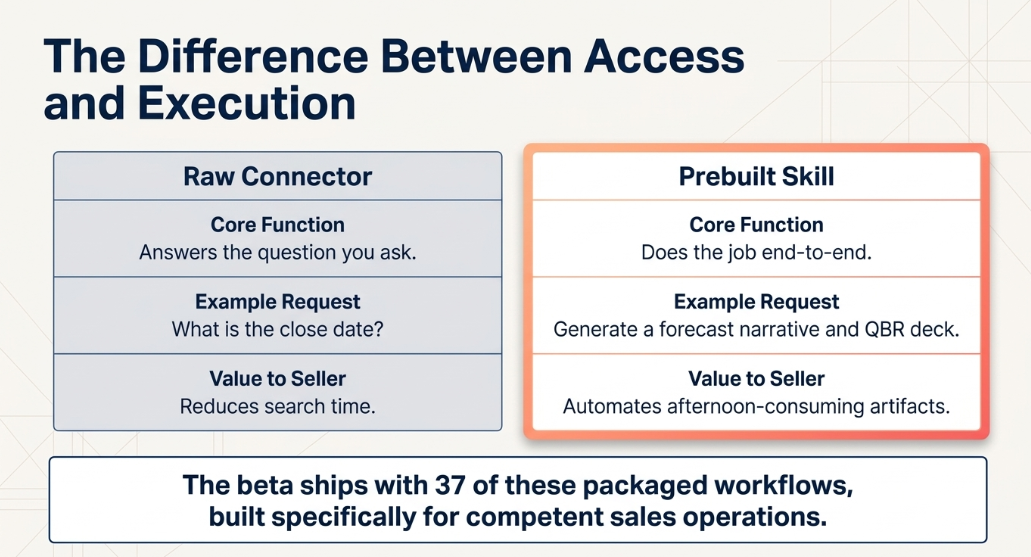
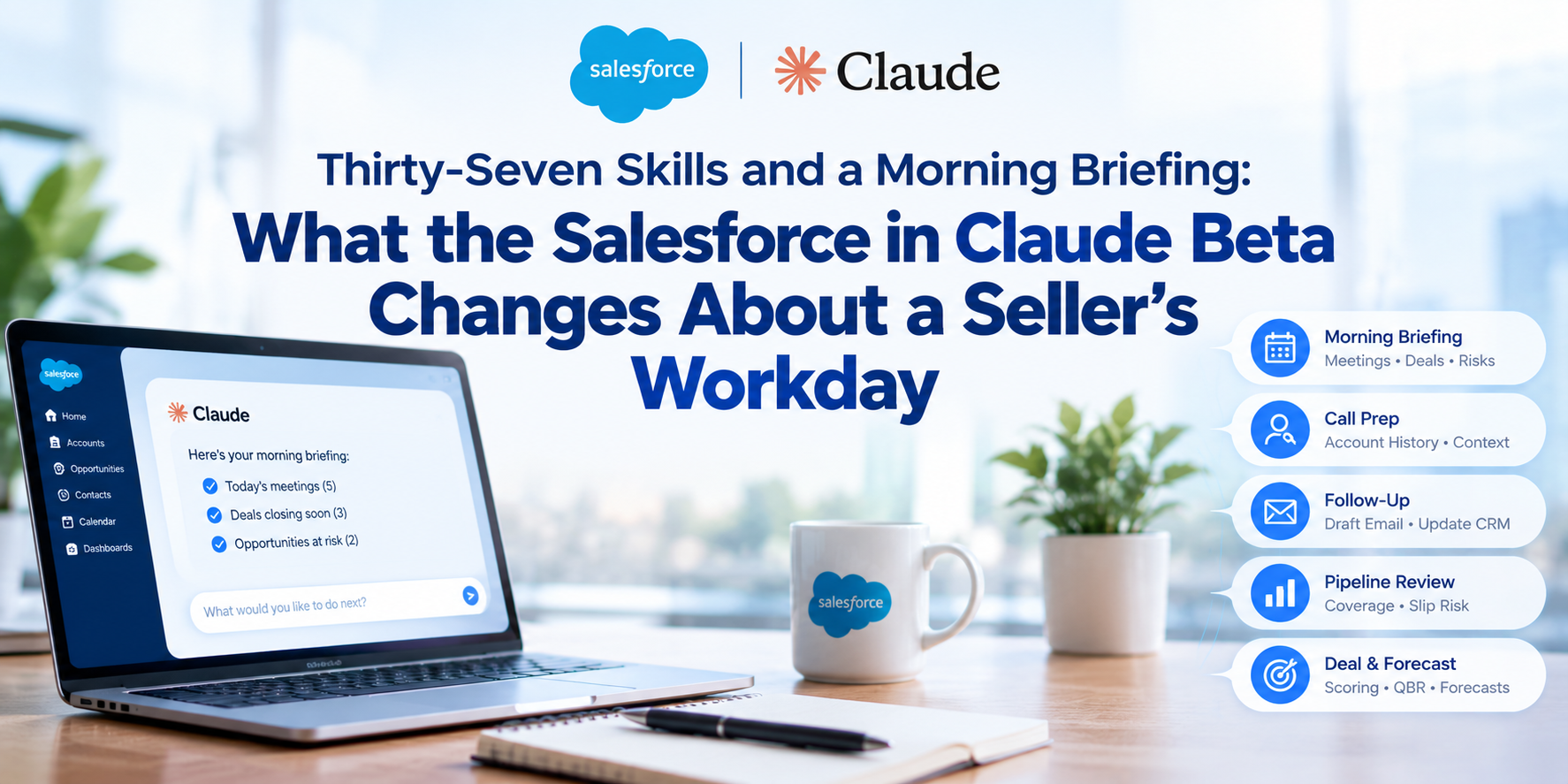
The skills cover the recognizable beats of a selling week. A morning briefing assembles today's meetings, the deals closing soon, and the opportunities showing risk, before the seller has opened a single tab. Call prep pulls the account history from Salesforce and recent context from Slack and email into one brief. After the call, a follow-up skill drafts the recap email, posts a summary to the team channel, and proposes the CRM updates, which means the stage change and next step actually get recorded instead of dying on a to-do list. Pipeline review produces an interactive dashboard with stage coverage and slip risk. There are skills for deal scoring against your own methodology, renewal preparation, QBR decks, and forecast narratives- the artifacts that consume whole afternoons at the end of every quarter.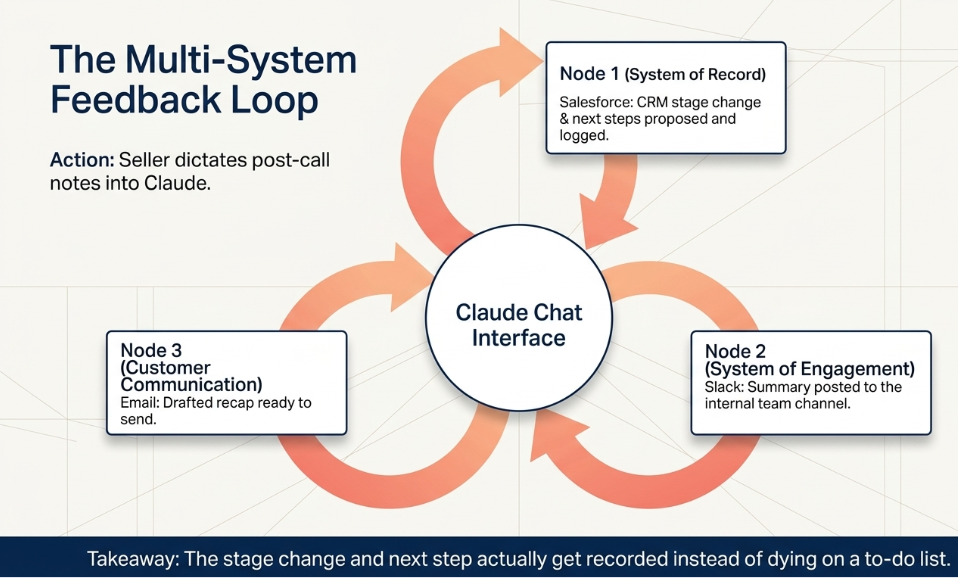
Early numbers suggest real adoption rather than a press-release feature: thousands of Salesforce sellers were already using it during the pilot phase, including teams at large public companies, before the open beta widened access.
The part your admin will care about
The architecture is the quietly important piece. Everything the plugin does routes through Salesforce itself, which means your existing permission model, sharing rules, and validation rules still govern every read and write. A seller cannot see a record in Claude that they could not see in Salesforce, and an update that violates a validation rule fails in Claude exactly as it would in the org. For anyone who has watched shadow-IT tools grow up around a CRM precisely because they bypassed its rules, this is the right design.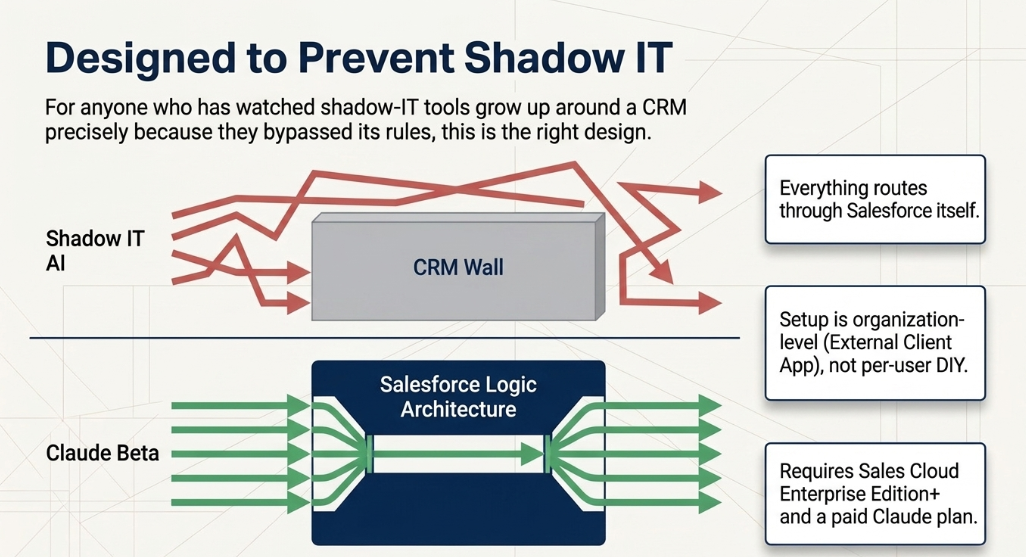
Setup is organization-level rather than per-user, which is the other meaningful change from the do-it-yourself integrations that came before. An admin requests access, activates the connector by creating an External Client App in Salesforce, and configures which groups get the plugin from the Claude side. Sellers then sign in with their own Salesforce credentials. The beta currently requires Sales Cloud Enterprise Edition or above and a paid Claude plan, and Anthropic has said more prebuilt skills are coming through late 2026.
What to do before you switch it on
Here is the honest caveat, and it is the same one we give about every AI initiative: the plugin amplifies the org you already have. A morning briefing built on stale close dates is a confident recitation of fiction. Deal scoring against your methodology only works if stages, amounts, and next steps are actually populated. Teams that have let CRM hygiene slide will get less from day one, and, more dangerously, what they get will look polished.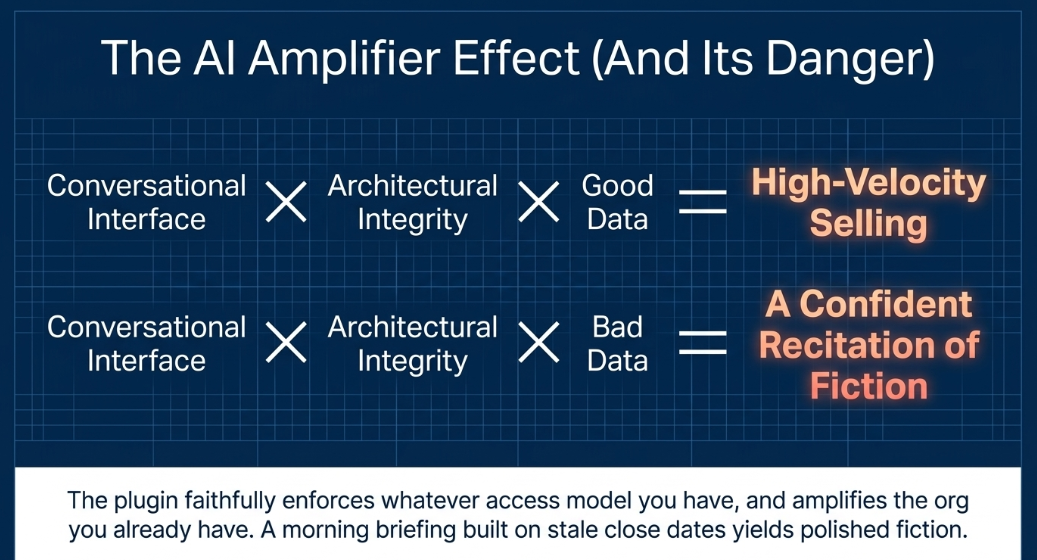
So the preparation is unglamorous and essential. Audit your data quality on the fields the skills lean on: stages, amounts, close dates, next steps, contact roles. Review your permission sets before broad enablement, because the plugin faithfully enforces whatever access model you have, including an over-provisioned one. Decide which teams pilot first, and pick a metric you will actually inspect, such as time from call to logged activity, forecast prep time, or stage-data freshness, so the rollout produces a verdict instead of a vibe. And plan the human side: sellers who learn to start the day in the briefing and end each call with the follow-up skill will compound the benefit; sellers who treat it as a novelty will not.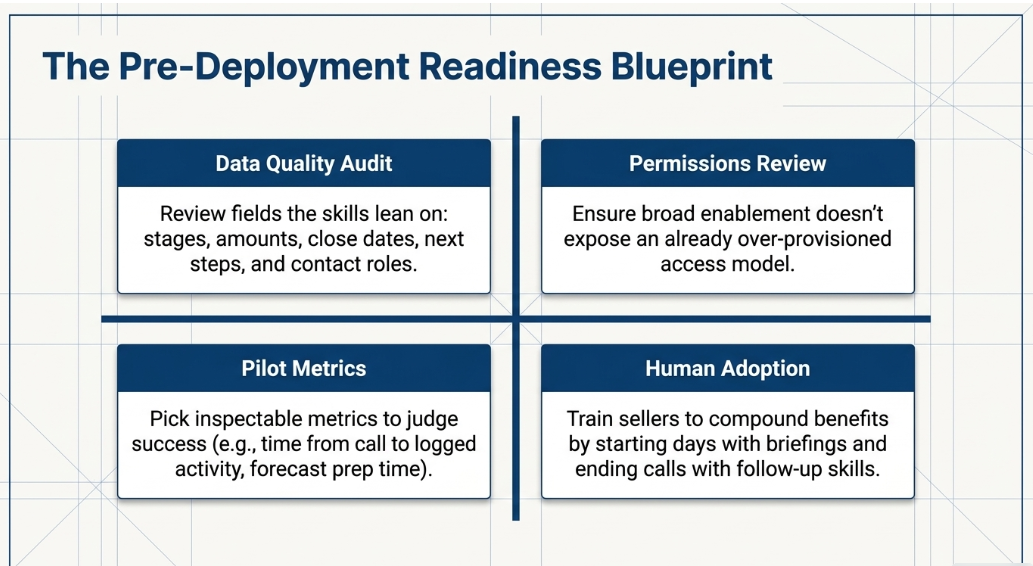
There is also a portfolio decision for leadership. The plugin is one of three Claudeforce workstreams, alongside Claude powering Agentforce inside the Salesforce Trust Boundary and Claude in Slack. They are adopted separately, and they should be sequenced deliberately rather than switched on together. For most sales organizations, the plugin is the sensible first move because it demands no new build, only readiness.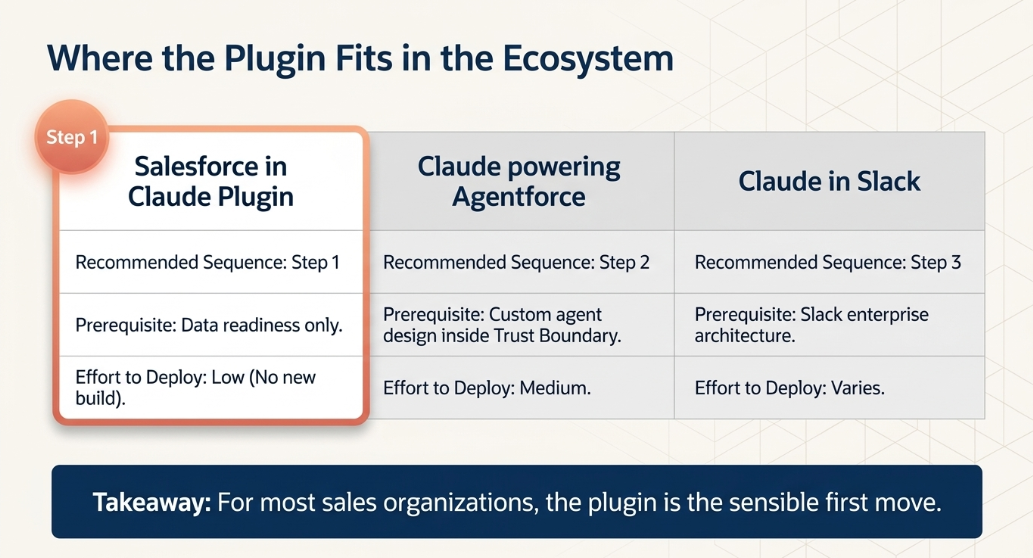
Where CETDIGIT fits
CETDIGIT is a Salesforce Crest Partner and an AI solutions builder with more than 300 AI and CRM deployments, and this intersection, where a powerful new capability meets the actual state of a customer's org, is exactly where we work. We run the readiness assessment that tells you whether your data and permissions are fit for conversational access, remediate what is not, design the pilot and its success metrics, and handle the admin-side configuration so the rollout is a controlled project rather than an experiment running loose in production. If the Salesforce in Claude beta is on your list, schedule a consultation with CETDIGIT, and we will help you decide, on evidence from your own org, whether you are ready to enable it and how to prove its value in the first ninety days.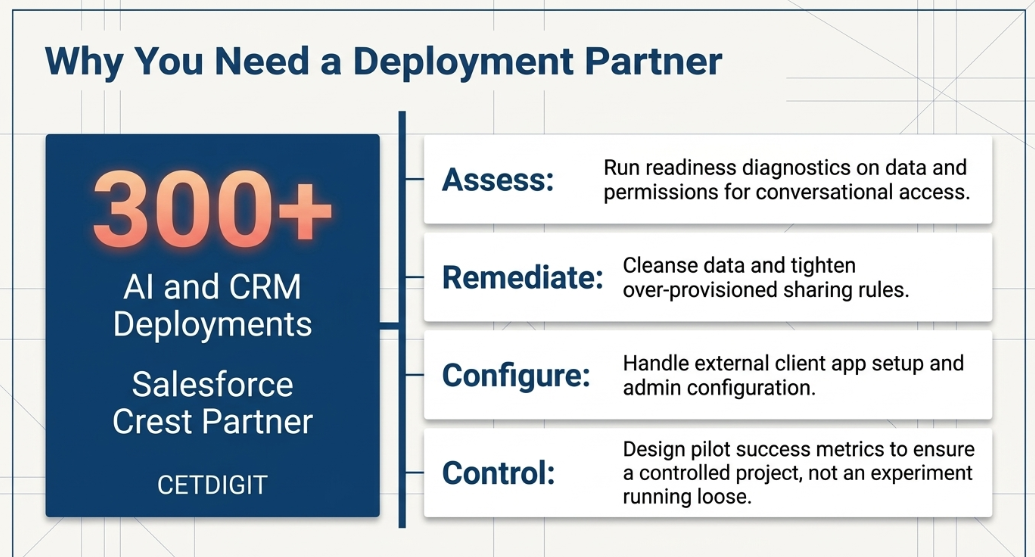
Related Reads
Claudeforce, Explained: What the Salesforce and Anthropic Partnership Actually Ships, and What Your Org Should Do About It
Where to Start With AI: A Practical Guide for Business Leaders Who Know They Are Behind
Your CRM Already Knows the Answer: How AI Integration Turns Salesforce into an Intelligent Operating System

Leave a Comment